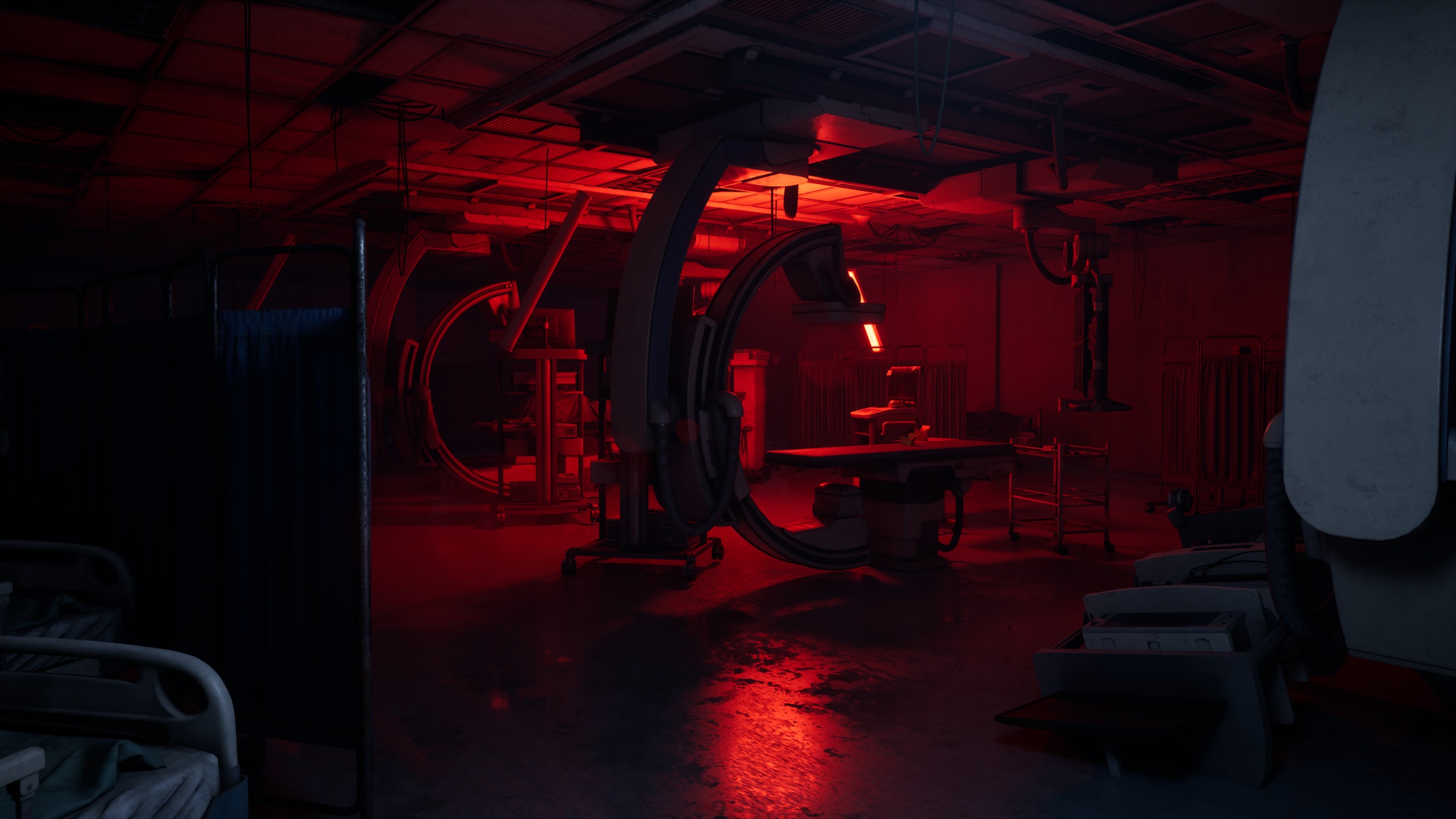
Project 02 · 网页游戏原型 · 关卡与交互设计Web game prototype · Level & interaction design
窗景Windowscape
拖动窗口、对齐门洞,在三层纵深里接出自己的路。
Drag windows, align doors and build a path through three layers of depth.
Project 02 · 网页游戏原型 · 关卡与交互设计Web game prototype · Level & interaction design
拖动窗口、对齐门洞,在三层纵深里接出自己的路。
Drag windows, align doors and build a path through three layers of depth.
熟悉的窗口操作,变成通往下一层的路。Familiar window controls become a path into the next layer.
The interaction
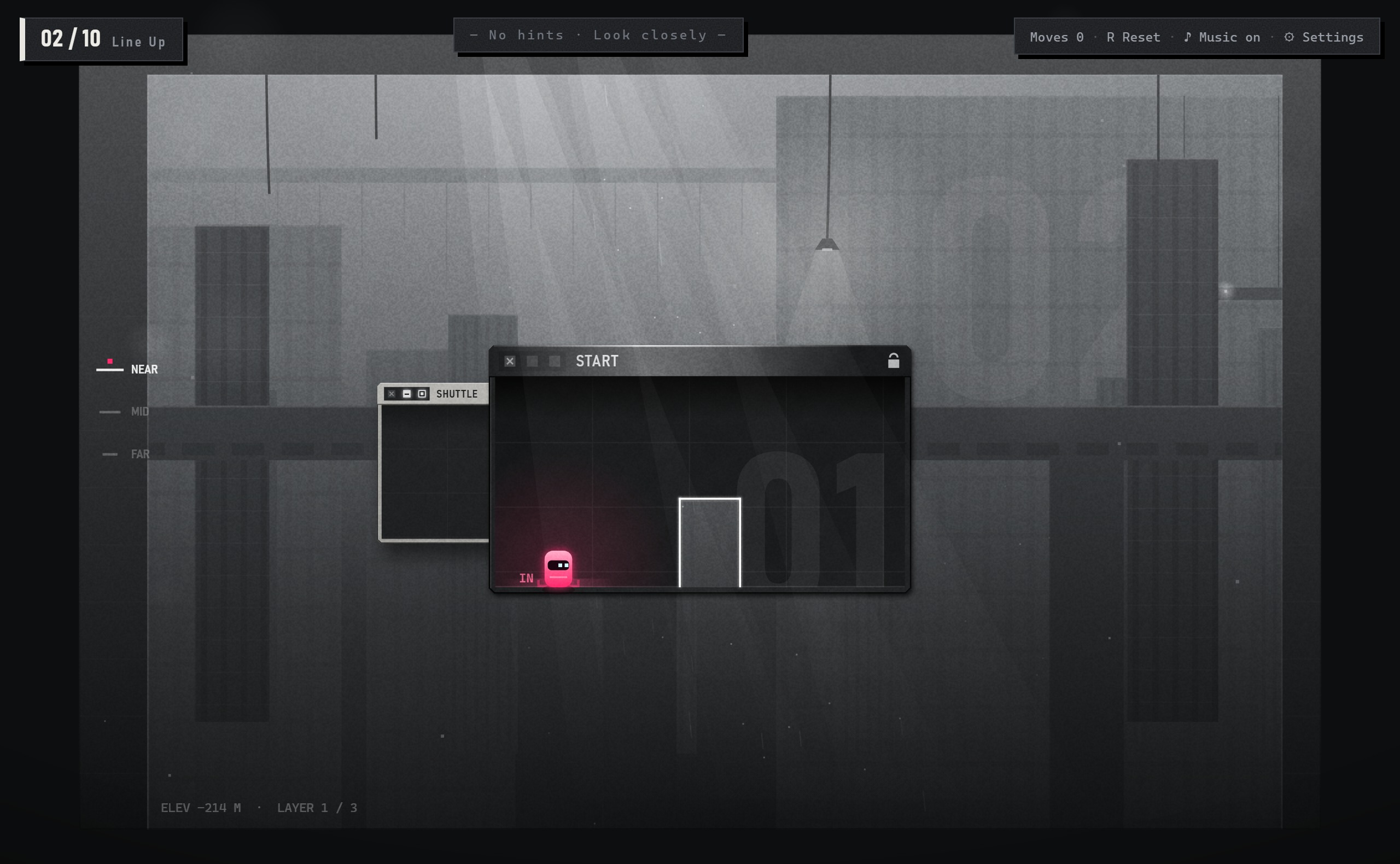
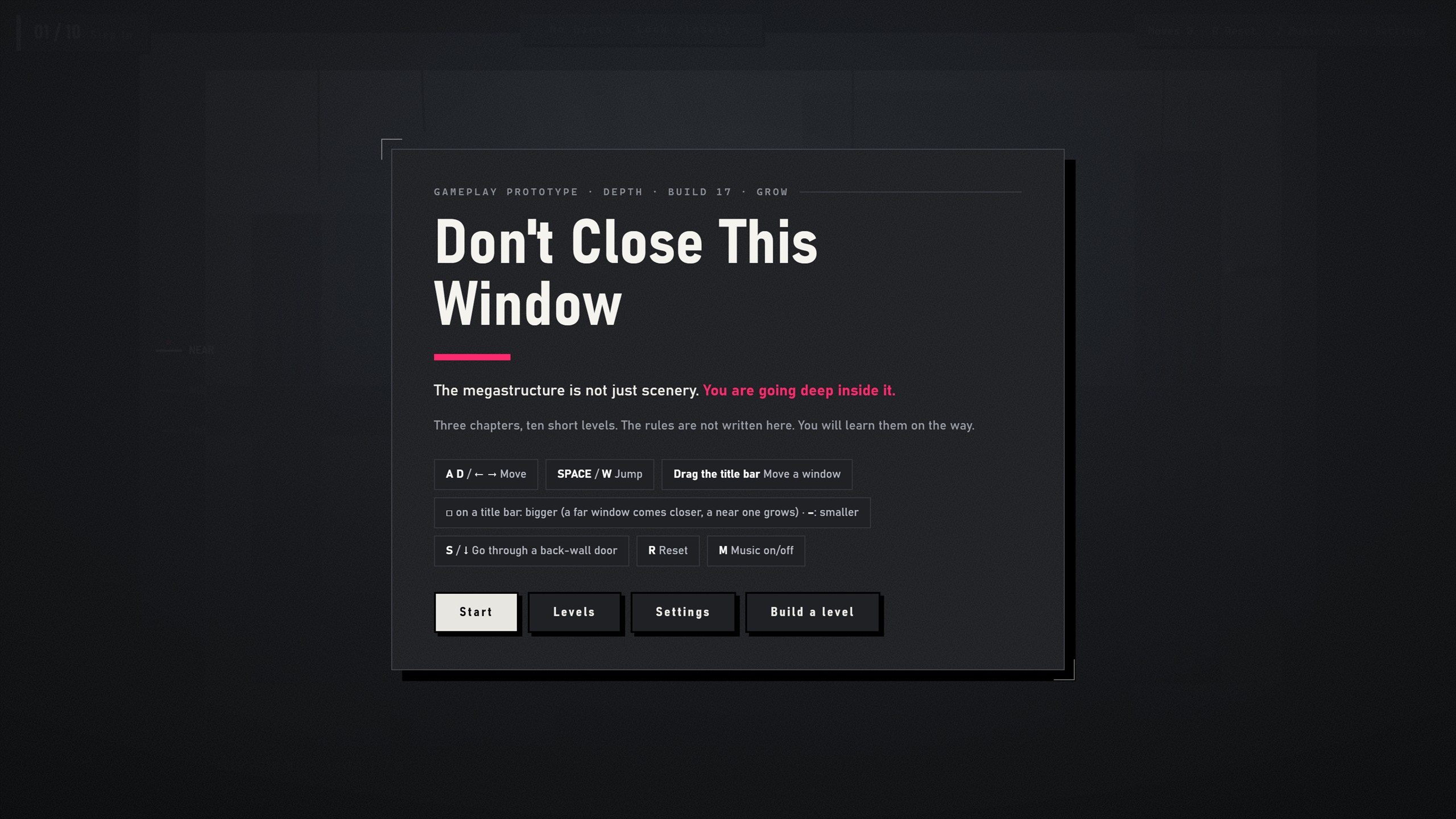
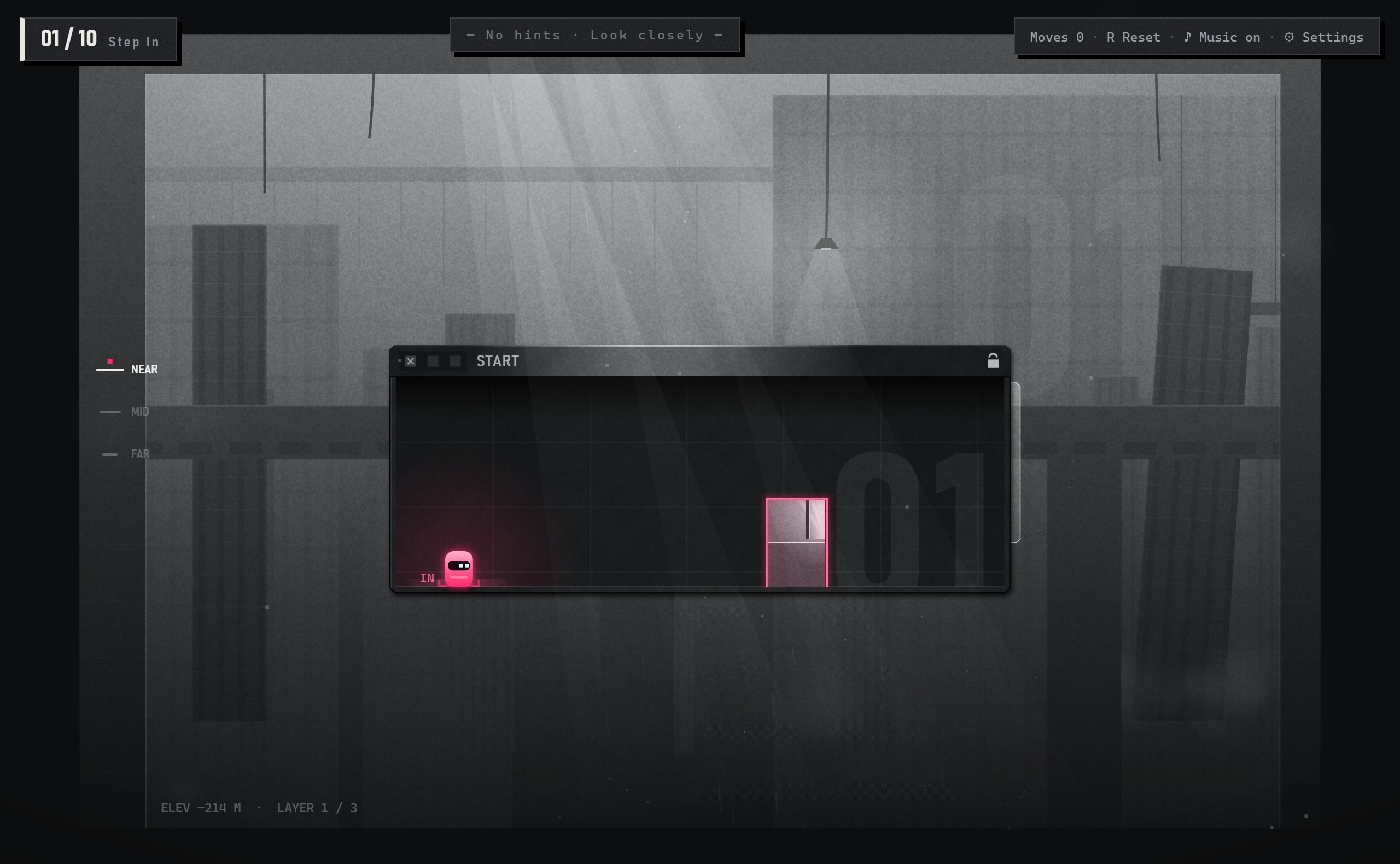
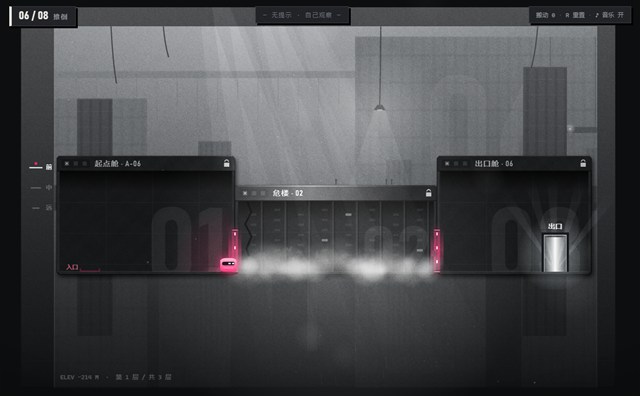
拖动标题栏,移动窗口。同层的门对齐后,门框变成品红;跑过去,或按 ↓ 穿过后墙的门,走进更深一层。
Drag a title bar to move a window. Align doors on the same layer and the frame turns magenta. Run across, or press ↓ through a back-wall door to go deeper.
亲手试一下 ↗Try it in your browser ↗键盘移动与跳跃,鼠标拖动窗口。Keyboard to move and jump; mouse to drag windows.
舱的后墙上有门,通往后一层。门后有舱对准时门框变品红,按 ↓ 走进去。
A door in a pod's back wall leads deeper. With a pod lined up behind it, the frame turns magenta; press ↓.
首次出现:第 1、2 关First seen: Levels 1–2□ 让窗口变大:在远处就先拉近一层,到了你这层再真的长大。– 反过来。按完停在原地,位置自己拖。按钮借自最大化 / 最小化,但这里控制的是纵深。
□ makes a window bigger: a far one comes closer, then on your layer it grows. – does the reverse. It stays put; you drag it. The buttons come from maximize and minimize, but here they control depth.
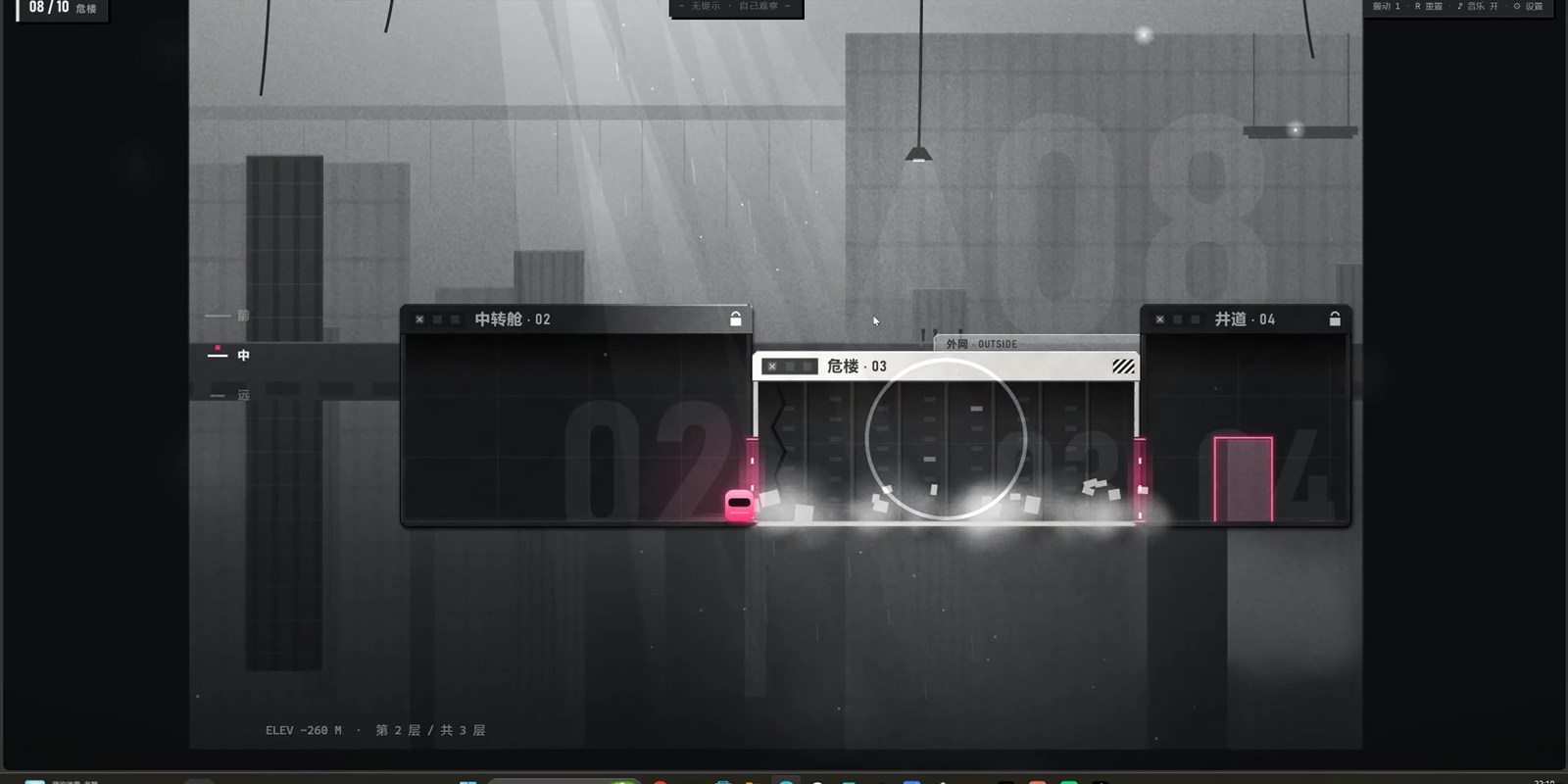
首次出现:第 3 关First seen: Level 3有裂缝的楼板踩上去就开始裂、越来越晃,3.2 秒后塌掉;人还在上面就会掉下去,整关重来。倒下后的危楼踩上去也会碎裂。
A cracked BRIDGE starts breaking when you step on it and falls after 3.2 s. Still on it? You fall and the level restarts. A toppled TOWER crumbles under you too.
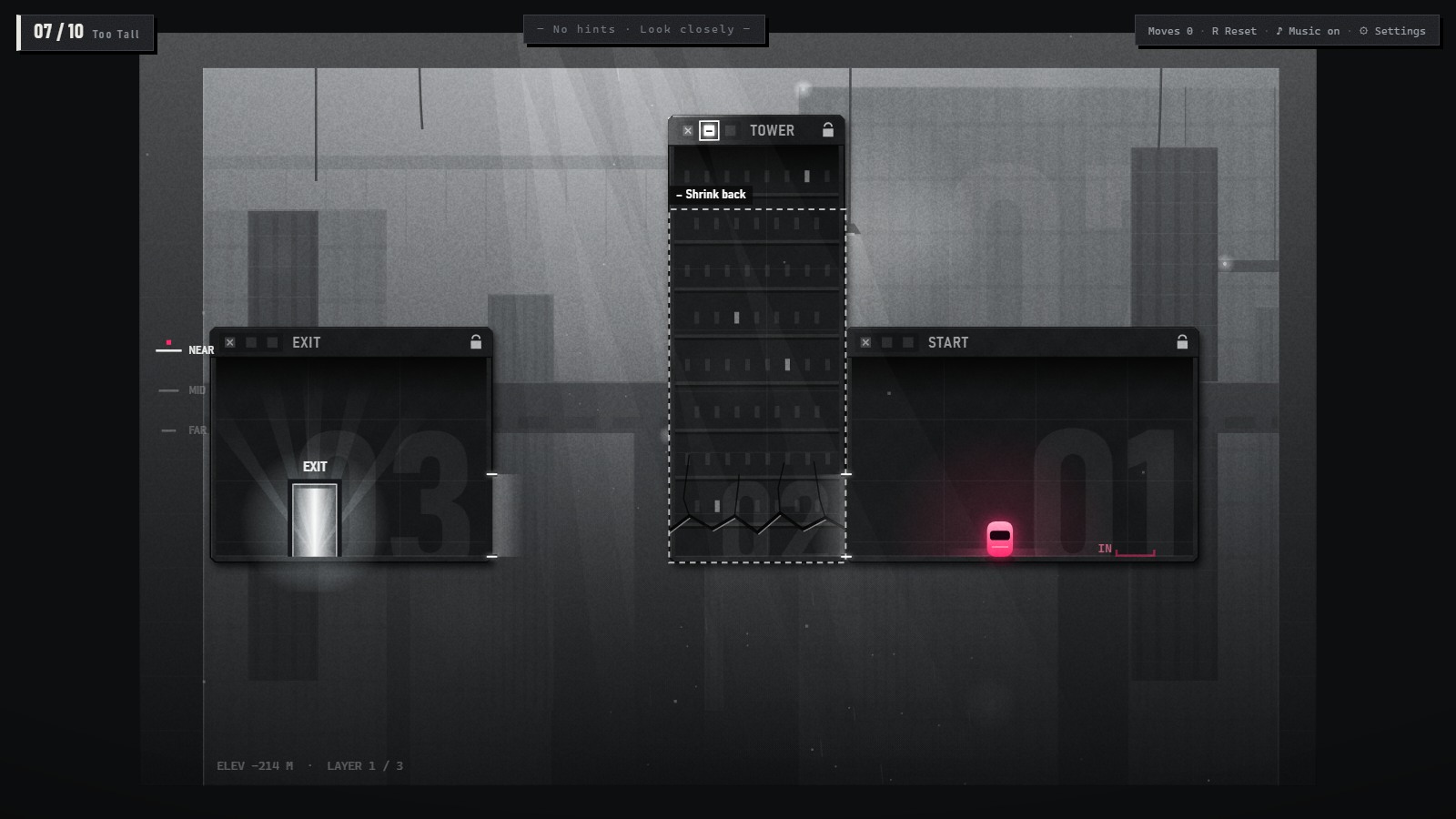
首次出现:第 4 关First seen: Level 4从哪边顶它,它就往另一边倒;倒下的长度等于高度。太矮就 □ 长高,太高就 – 缩矮。
Push a TOWER and it falls the other way; its fallen length equals its height. Too short? □. Too tall? –.
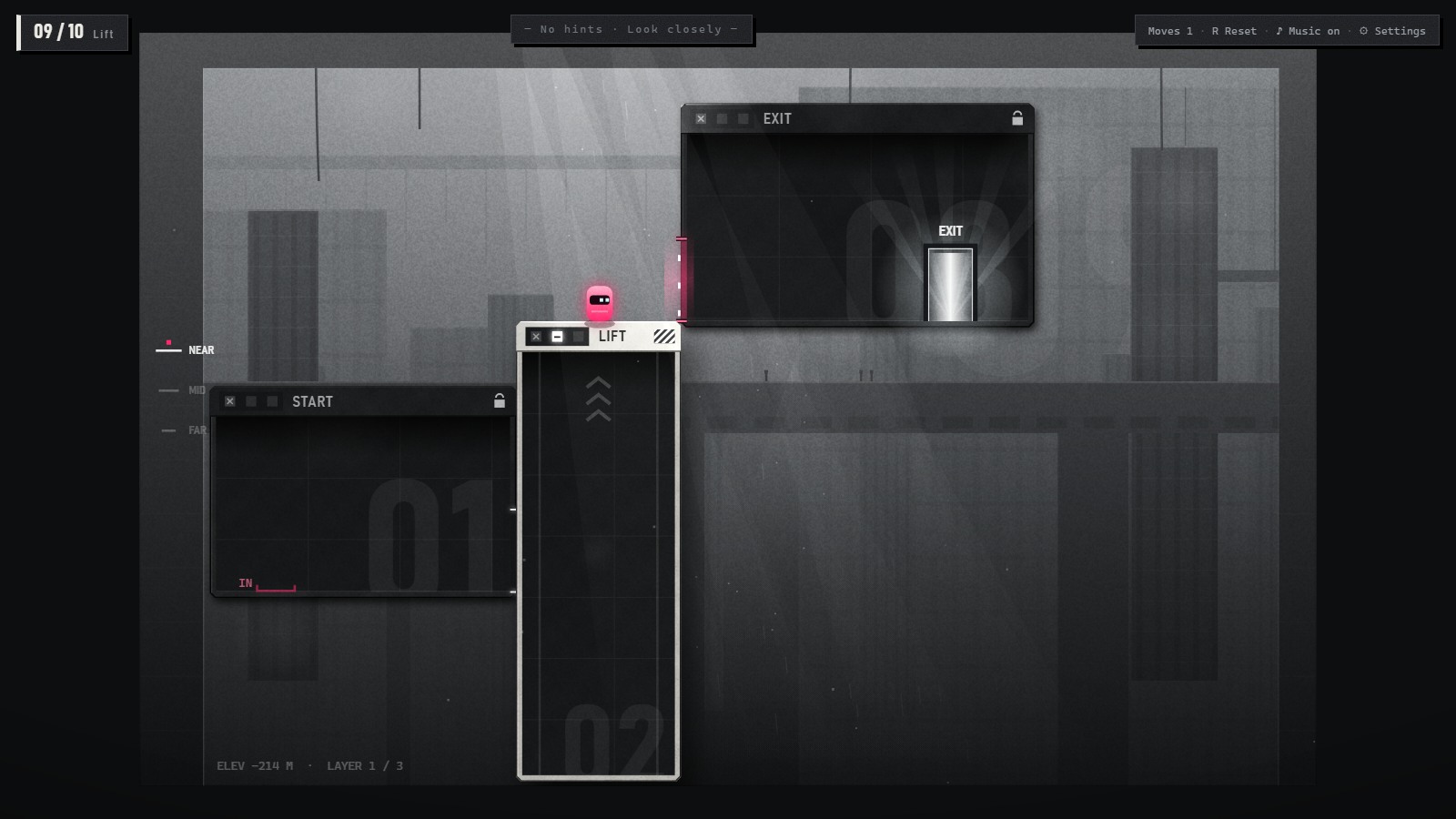
首次出现:第 6 关First seen: Level 6带扶手的矮台。站上去按 □,它往上长、把你托上去;按 – 缩回,把你放下来。
A low block with a railing. Stand on it and click □: it grows and carries you. Click – and it lowers you.
首次出现:第 9 关First seen: Level 9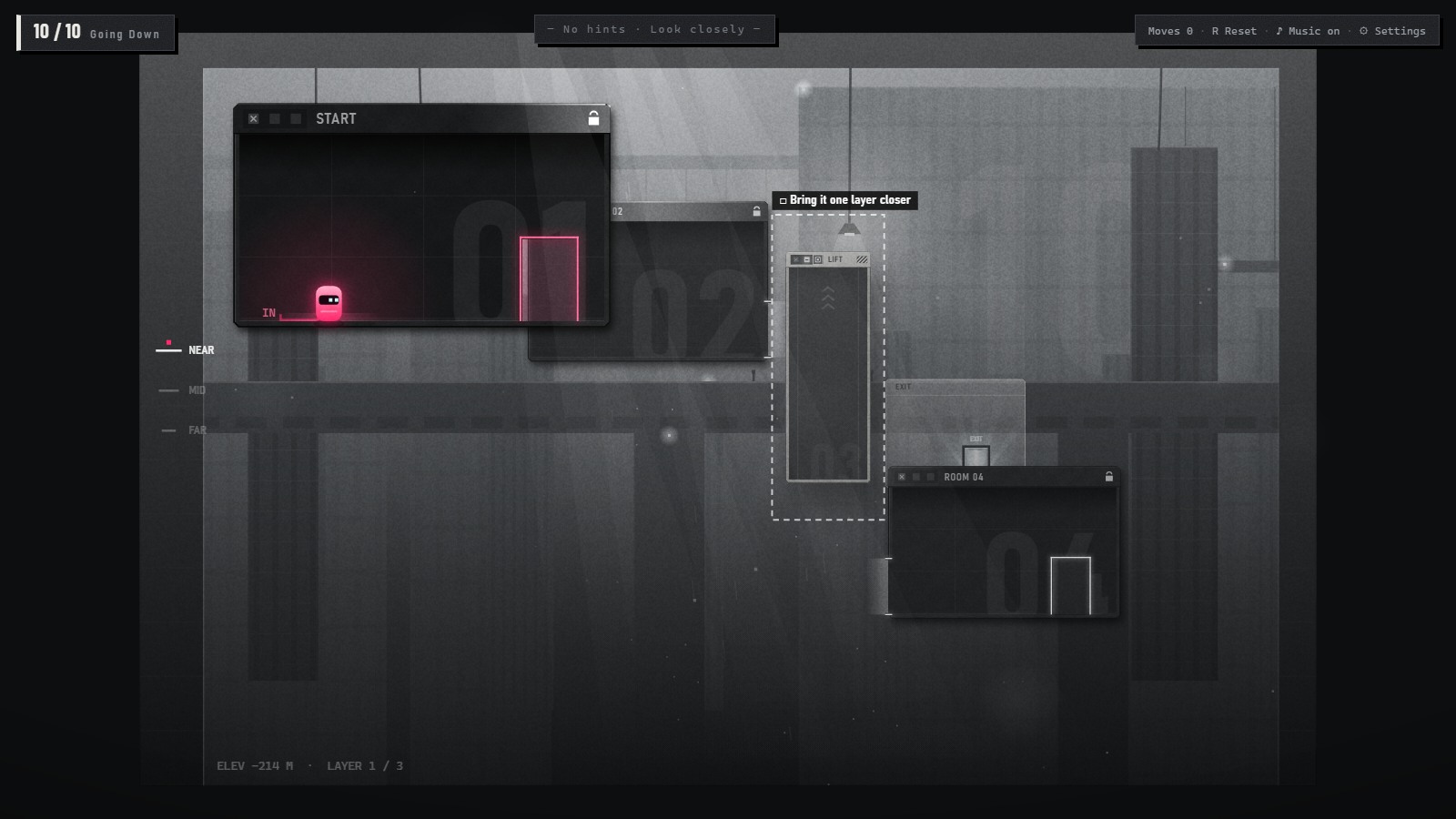
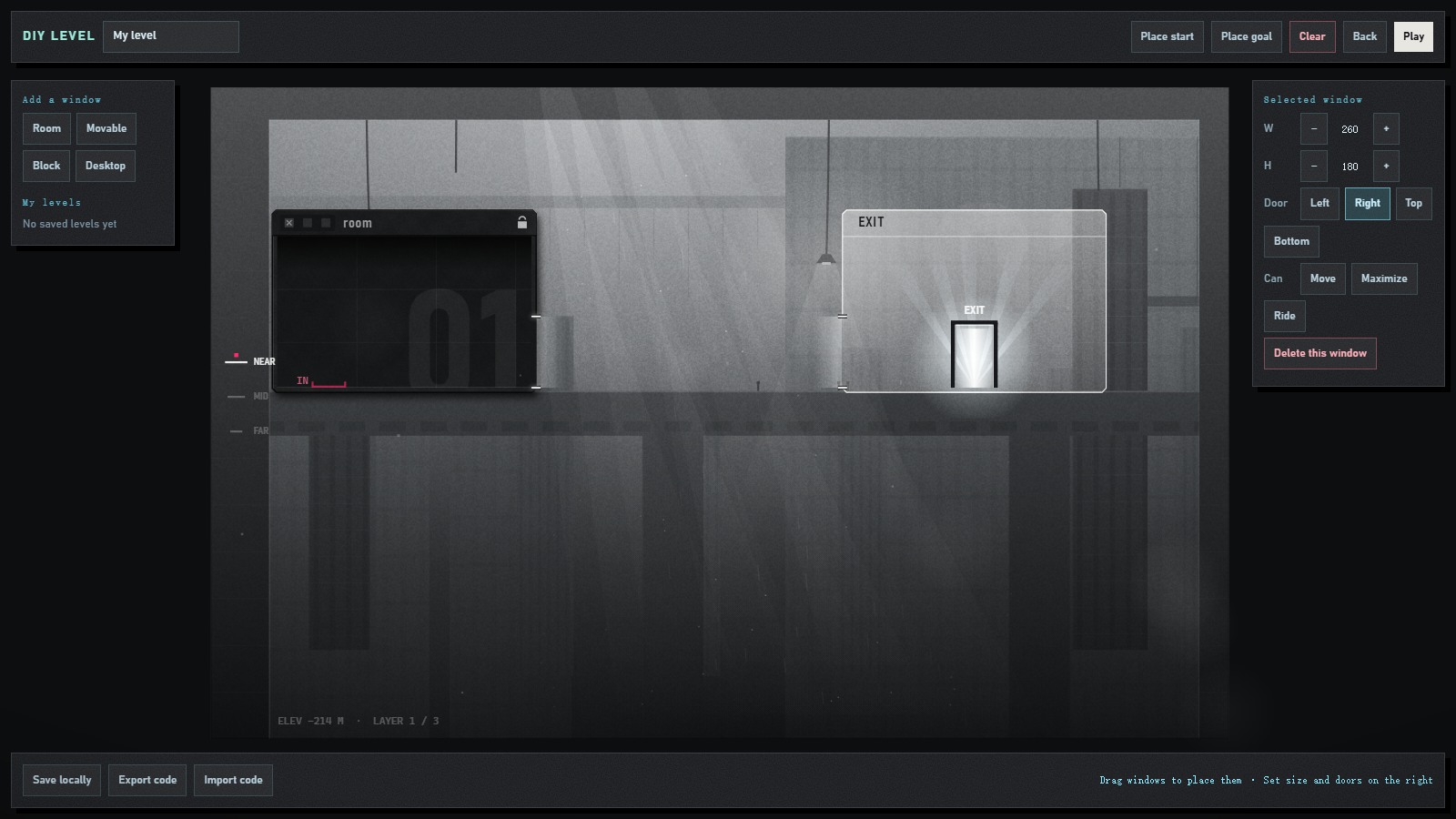
搭:加窗口(房间 / 能拖的 / 实心块 / 桌面),拖着摆;改宽高、开门,勾选「能拖、最大化、可乘坐」。试:一键进自己的关,规则和正式关一样,Esc 回编辑器。存:存在本地,或导出一串代码发给别人。
Build: add a window (room, movable, block, desktop) and drag it into place; set size and doors. Play: one click into your level with the main game's rules; Esc to edit. Share: save locally, or export a code anyone can import.
选项用窗口本来的词,玩家搭关时用的就是通关时学会的那套操作。
The options use window words, so building uses the controls players learned by playing.
每一关:开场镜头(从出口拉回起点)→ 解谜 → 走进出口 → 雾中转场 → 下一关从雾里浮出来。Every level: opening shot → puzzle → walk into the exit → fog transition → the next level emerges.
// 镜头对准第 focusF 层:那一层 1:1,越往后越小
const DEPTH_K = .47, MAX_Z = 2;
const layerScale = n =>
  1 / Math.max(.05, 1 + (n - focusF) * DEPTH_K);

// 危楼倒下:绕底角转 90°,倒下的长度 = 原来的高度
function towerFoot(r, dir, x, y){
  return {x: dir > 0 ? x : x + r.w - r.h,
          y: y + r.h - r.w, w: r.h, h: r.w};
}
本章回答:参考了什么,要解决的核心问题是什么,这个世界是什么样。This part answers: what I referenced, the core problem, and what this world is.
参考:强制透视,近大远小会改变物体的实际大小。用在:□ 把远处的小楼板拉近、再长大,就成了一座桥。
Reference: forced perspective, where near and far change an object's real size. Used for: □ brings a small far slab closer, grows it, and it becomes a bridge.
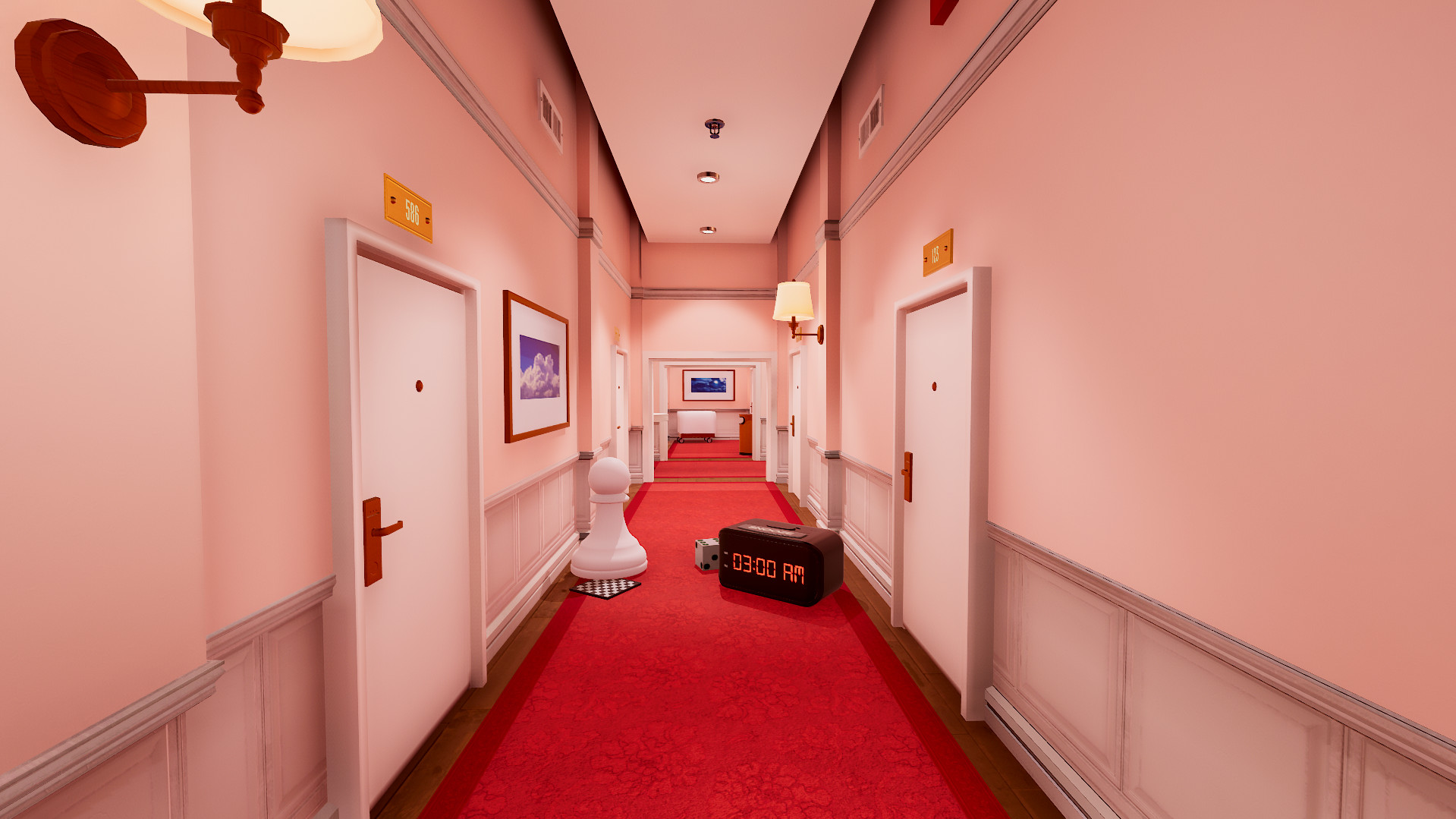
参考:灰阶、电影感,不用文字讲故事。用在:黑白灰加唯一的品红;用开场镜头和推镜代替说明文字。
Reference: grayscale, cinematic, storytelling without words. Used for: grayscale plus one magenta; camera moves instead of written instructions.
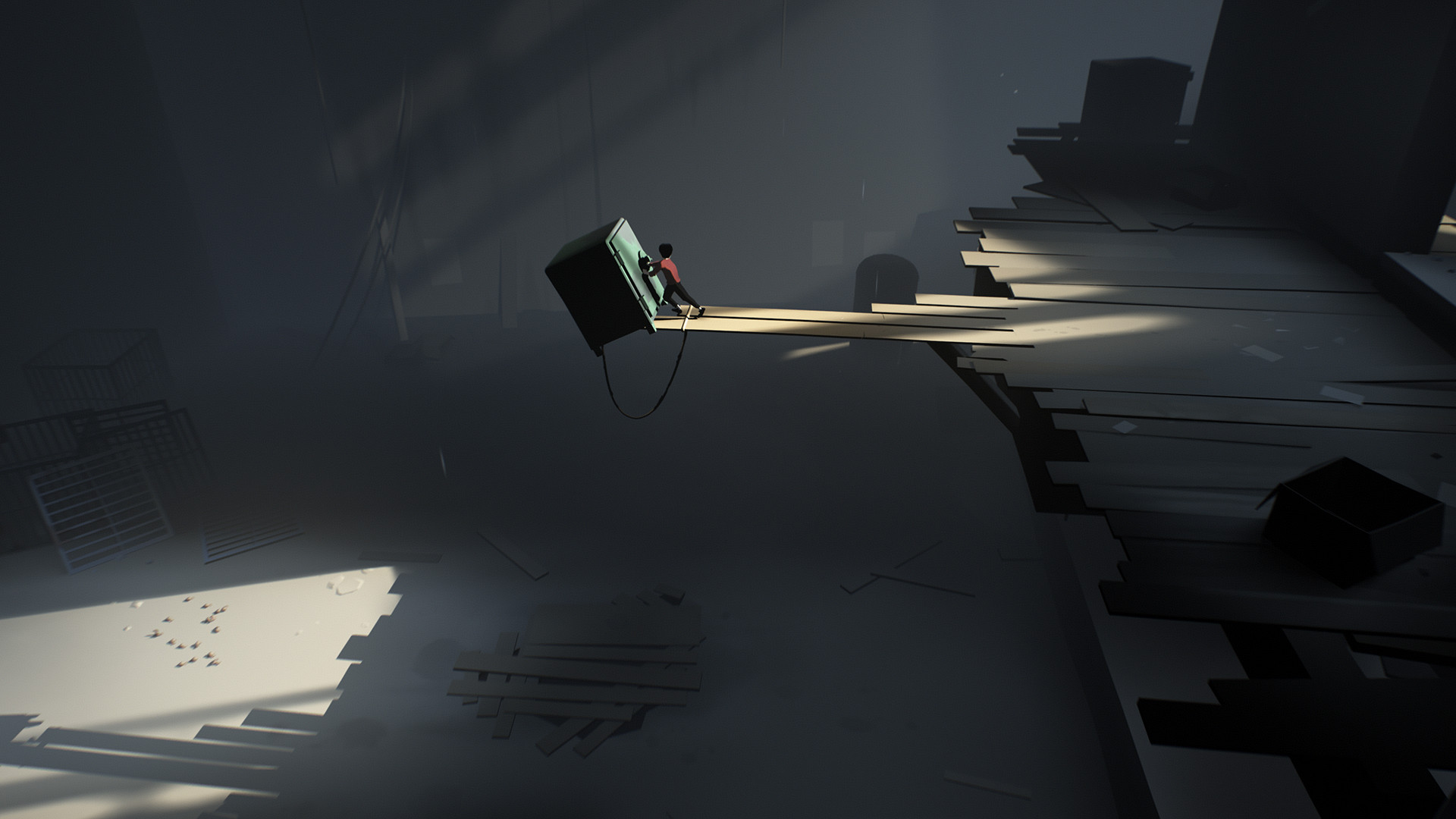
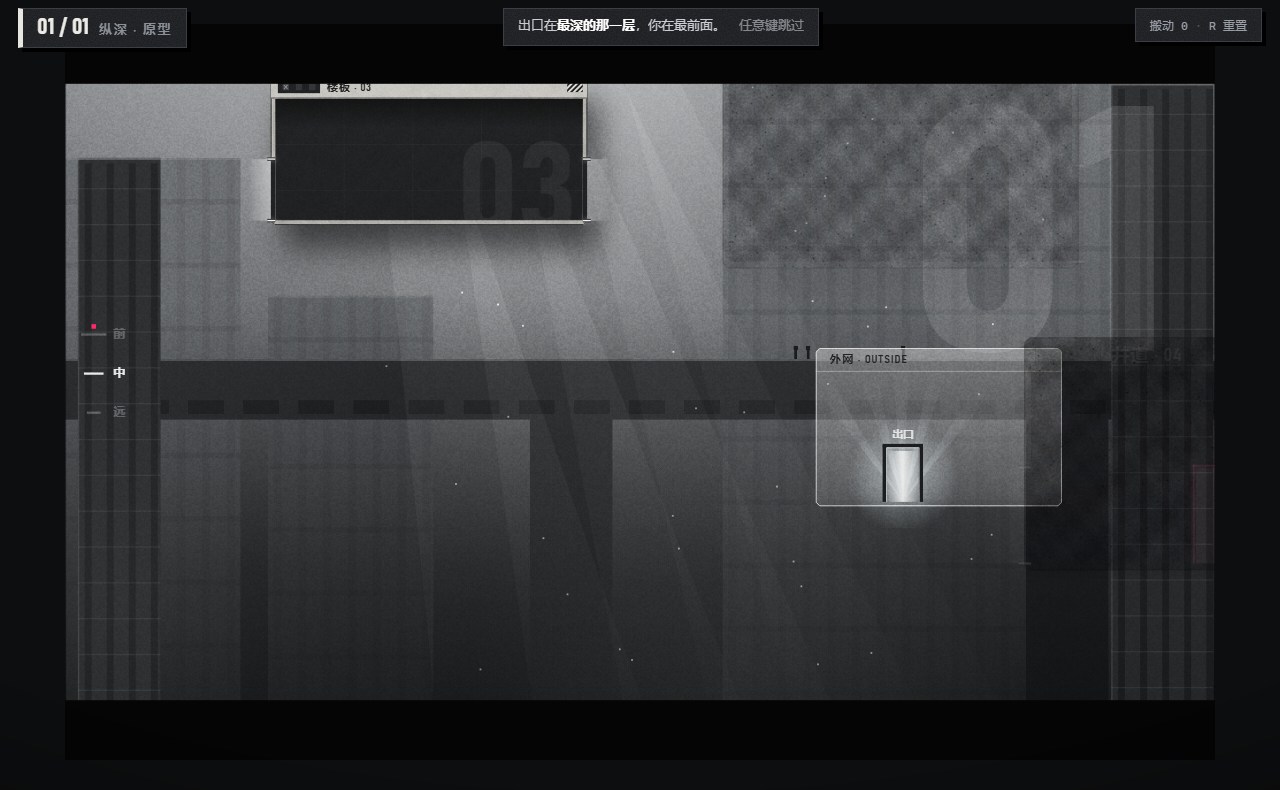
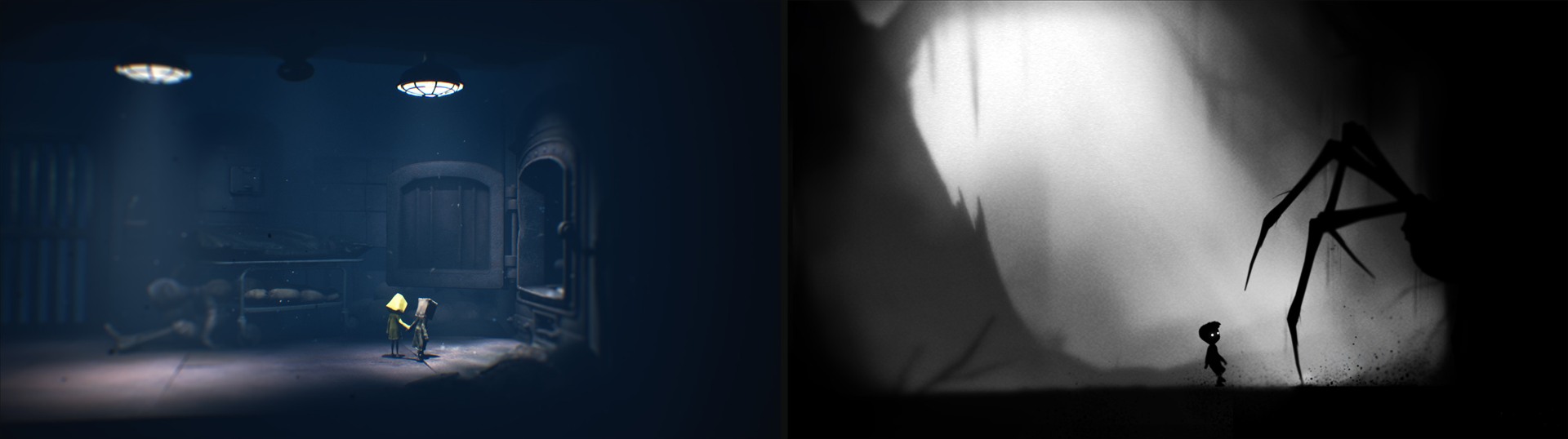
参考:这几款游戏都不靠文字教玩家:危险先在安全的地方演示一次,或者用场景里的东西暗示怎么做,玩家看懂之后再亲手尝试。用在:第 4 关先在安全的地方塌一块楼板给你看;第 2 关的穿梭舱先自己滑过门后,门框跟着变色。
Reference: none of these games teach with text; danger is shown once somewhere safe, or the scene hints at what to do, and then the player tries it. Used for: in Level 4 a slab collapses somewhere safe first; in Level 2 the shuttle slides behind the door by itself and the frame changes colour.
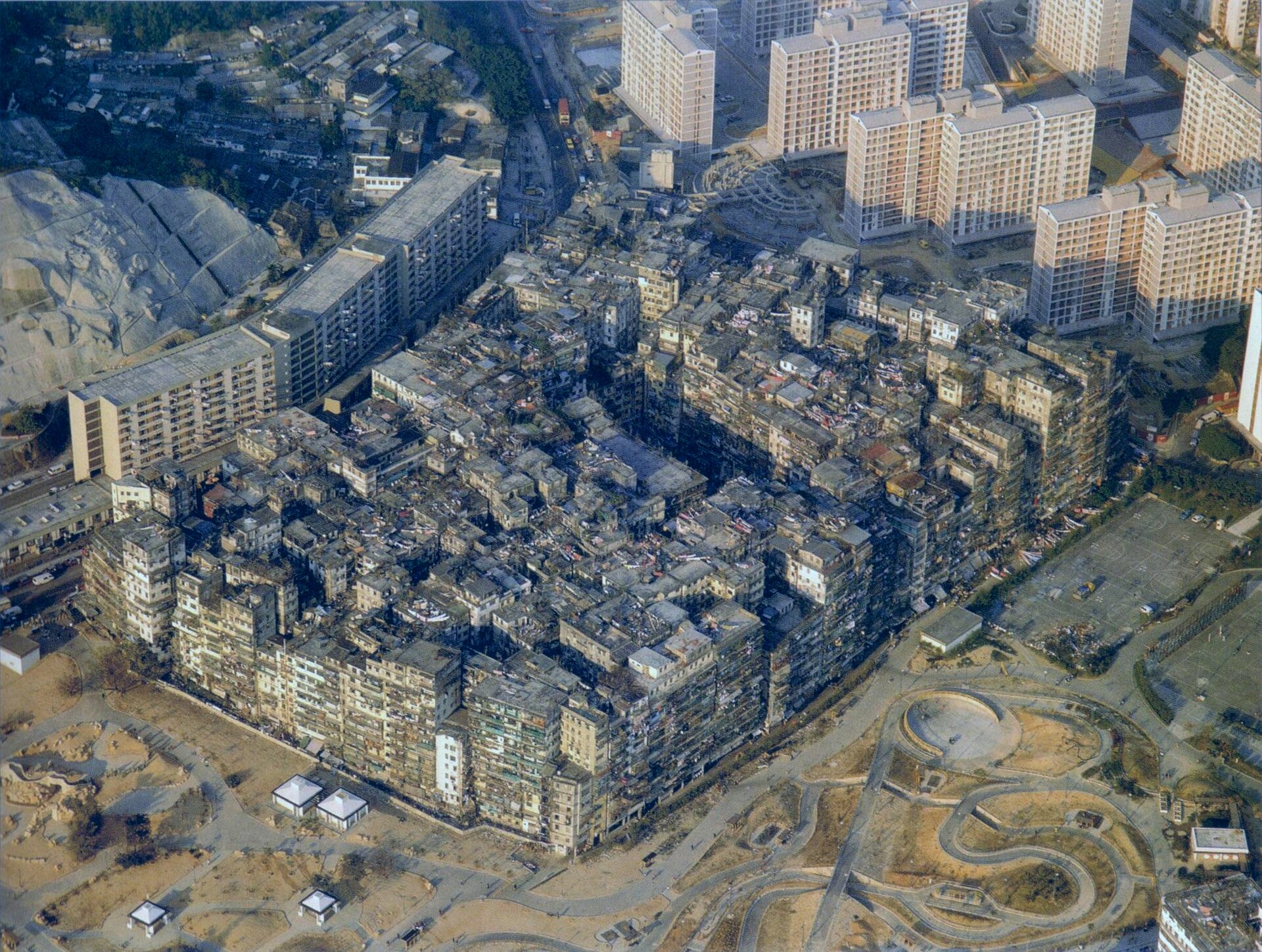
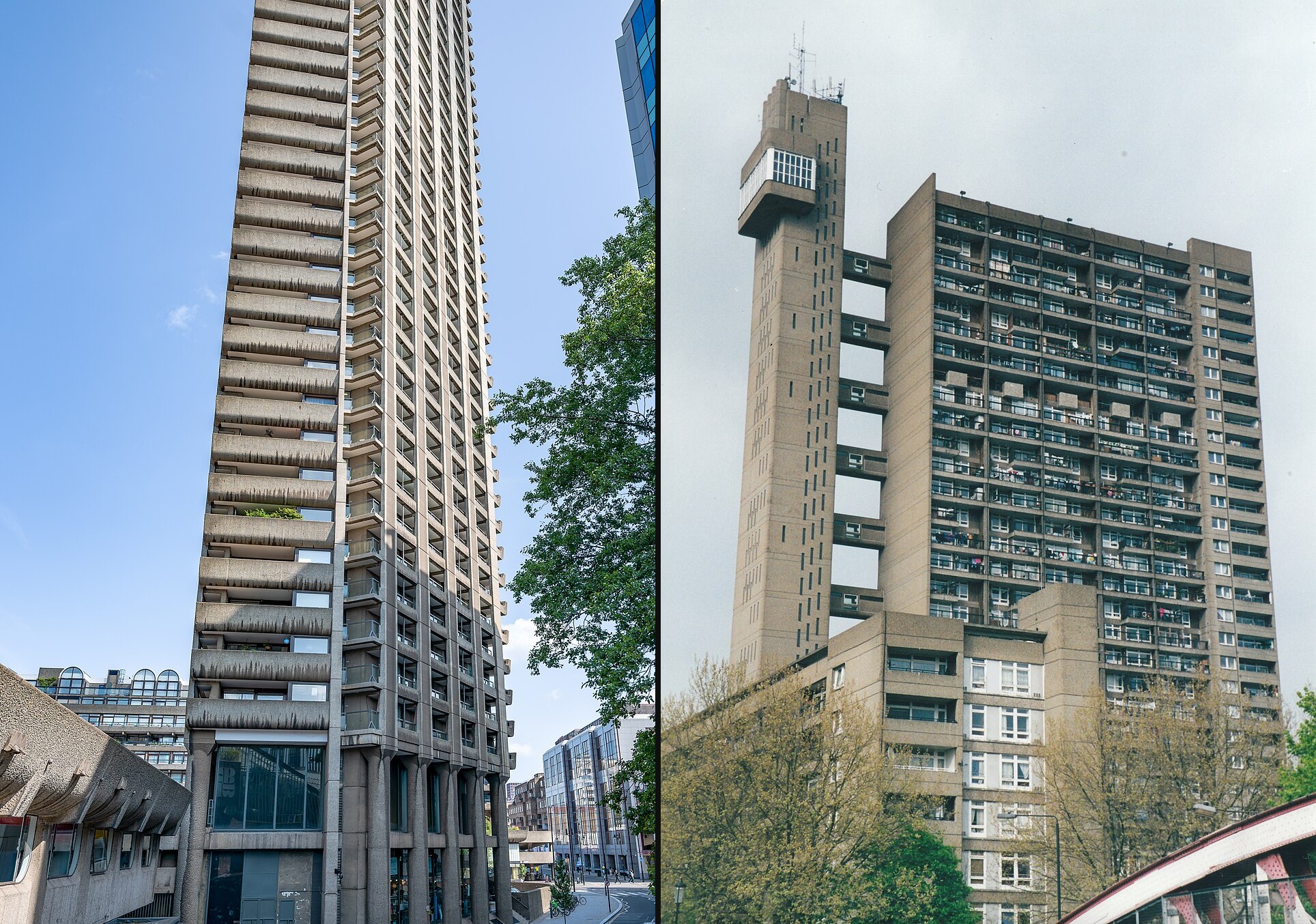
参考:无边无际、看不到尽头的巨构。用在:看不到顶的混凝土立面;横梁上很小的人,用来量出建筑有多大。
Reference: an endless megastructure. Used for: a concrete facade with no visible top; tiny figures on a beam to show scale.
参考:清水混凝土、厚重的体块、重复的模块。用在:窗口变成有重量的混凝土预制舱,能拖的浅、拖不动的深。
Reference: raw concrete, heavy masses, repeated modules. Used for: windows become heavy precast concrete pods, movable ones light and fixed ones dark.
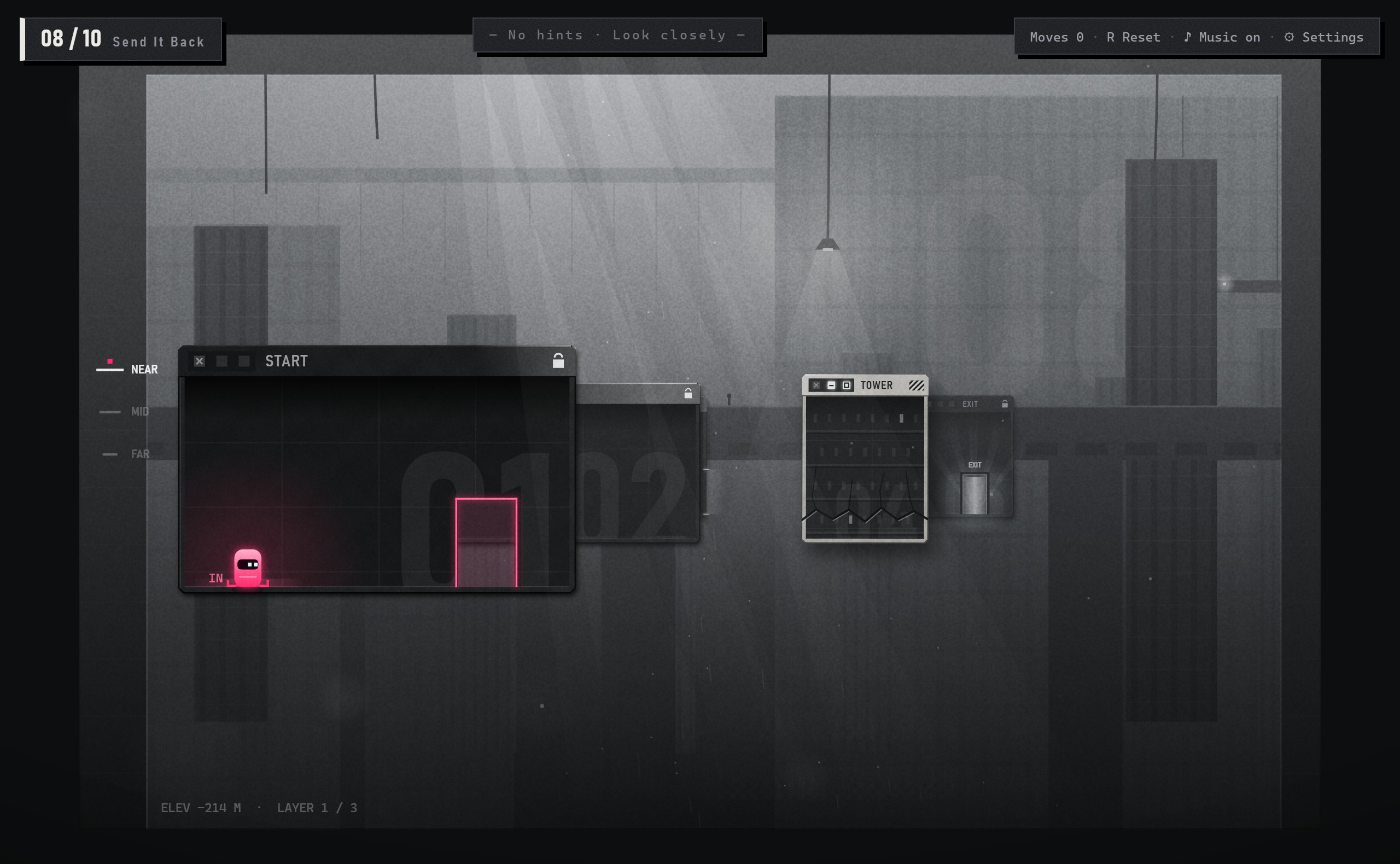
参考:拖动、最小化、最大化,每个人都会的操作。用在:拖标题栏摆位置直接借用;□ / – 保留按钮的样子,改成控制纵深。
Reference: drag, minimize and maximize, controls everyone knows. Used for: dragging title bars is borrowed directly; □ and – keep their look but now control depth.
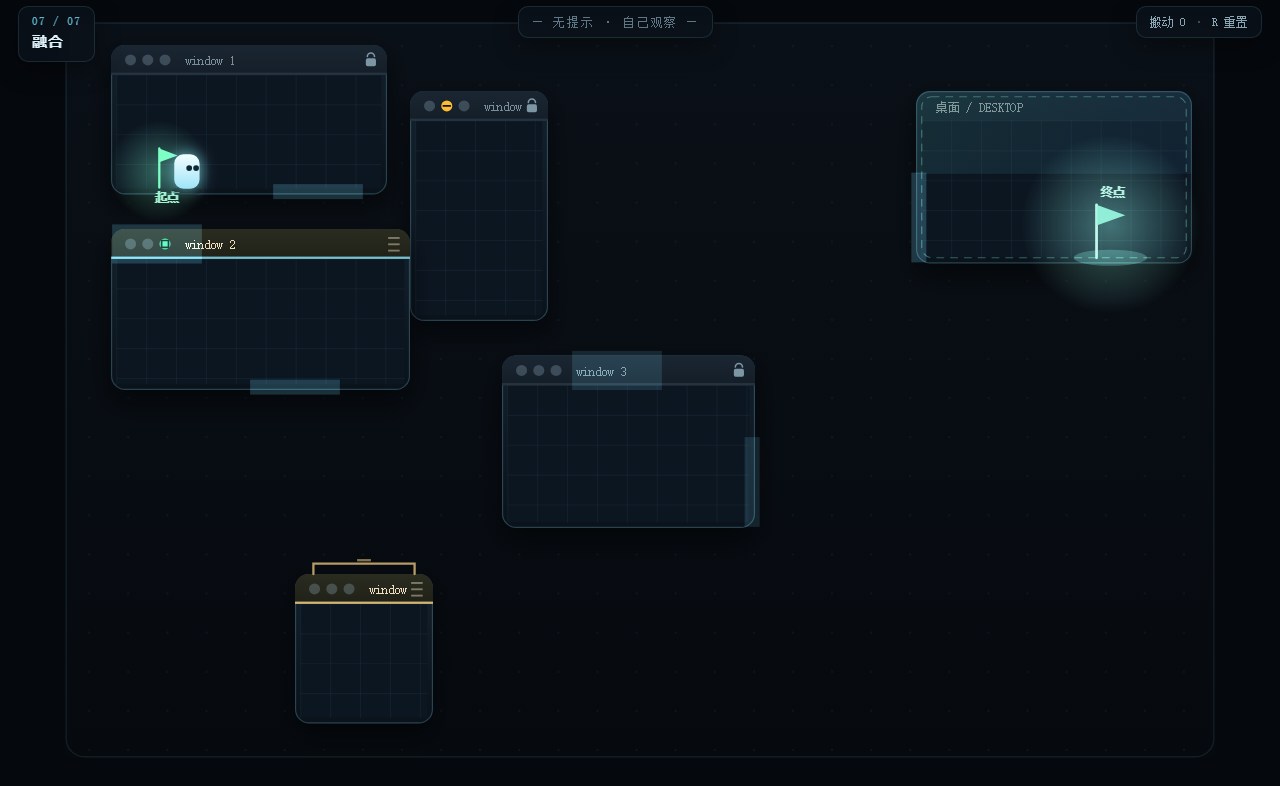
角色、门、起点、终点、提示框都在发光,没有主次。
Character, doors, start, goal and hint box all glowed, so nothing stood out.
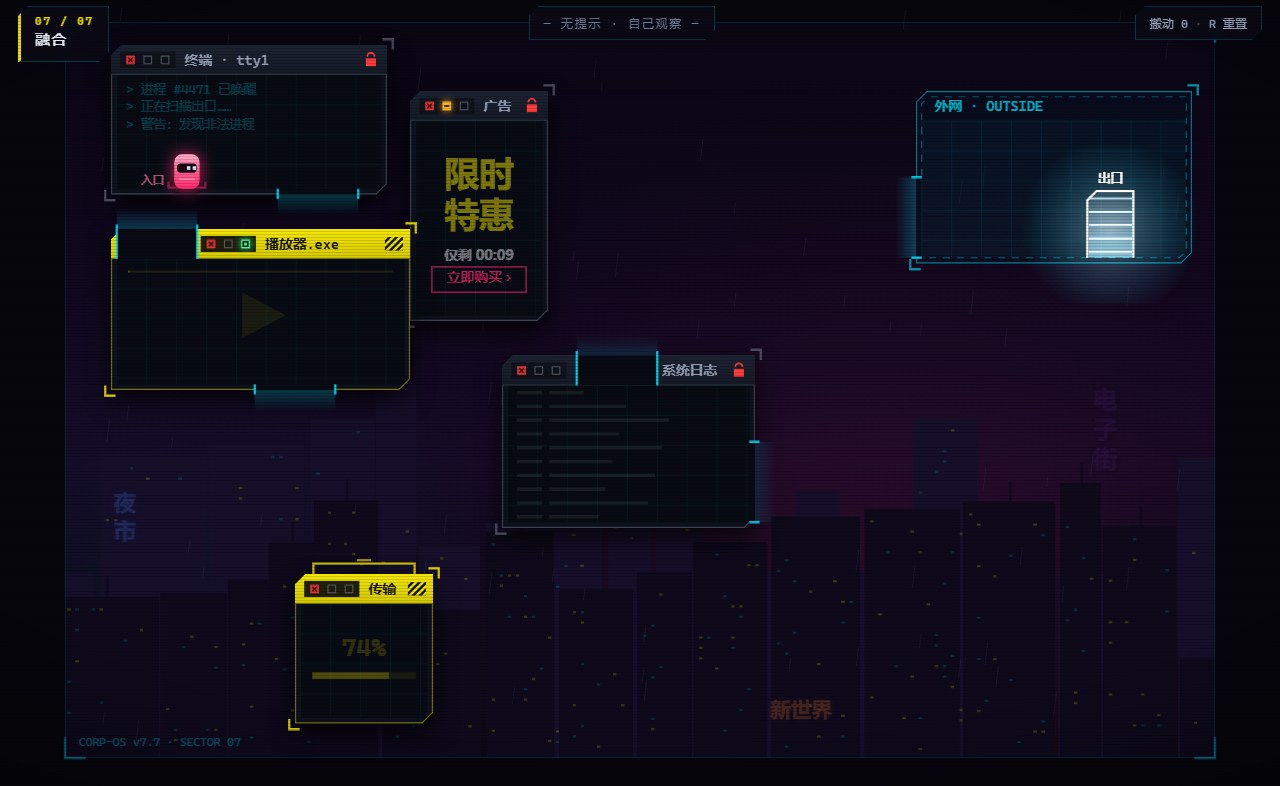
品红 = 你,黄 = 能拖,青 = 门。问题:细节和层次不够,显得粗糙;霓虹风太常见,满屏特效会盖住解谜信息。
Magenta = you, yellow = movable, cyan = doors. Problem: rough, and heavy neon effects bury puzzle information.
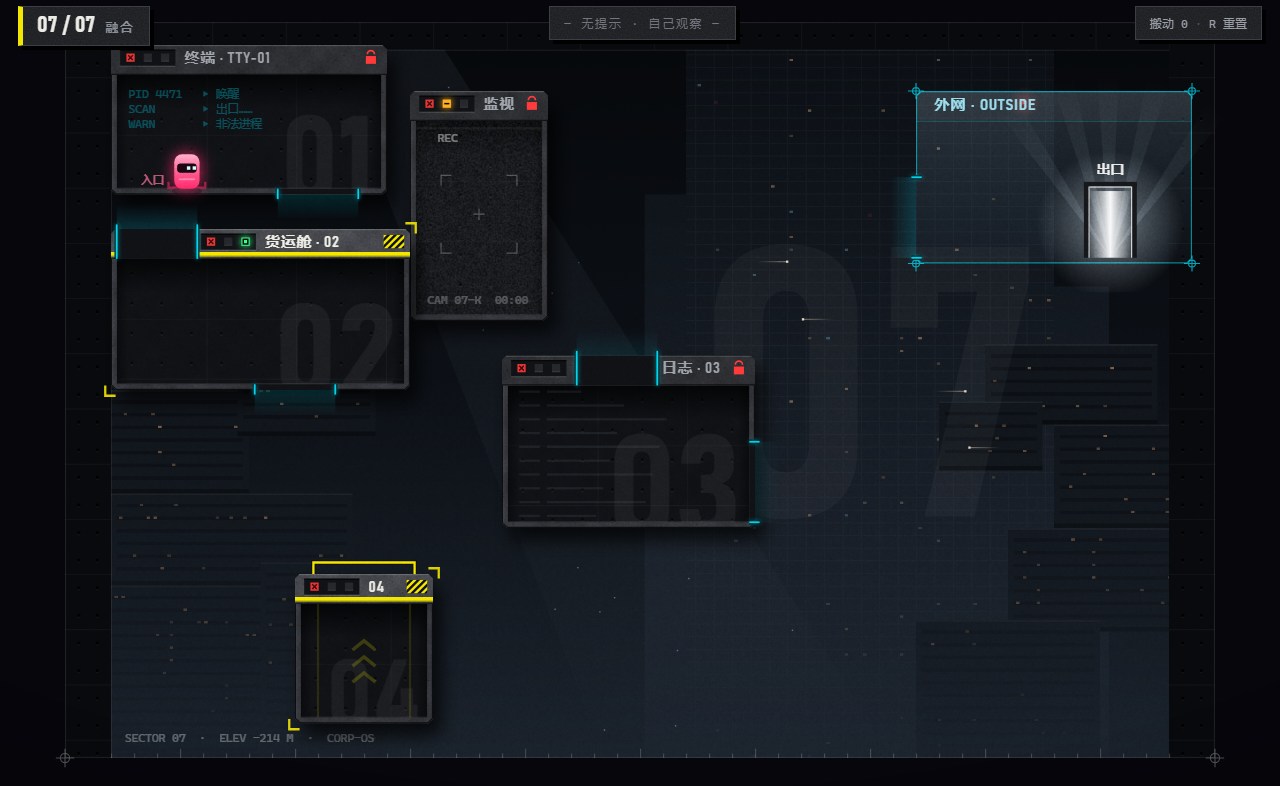
混凝土预制舱、统一的光向、看不到顶的巨塔和雾海。问题:三种风格平均混合,哪种都不鲜明。
Concrete pods, one light direction, a topless tower and fog. Problem: three styles averaged; none stood out.
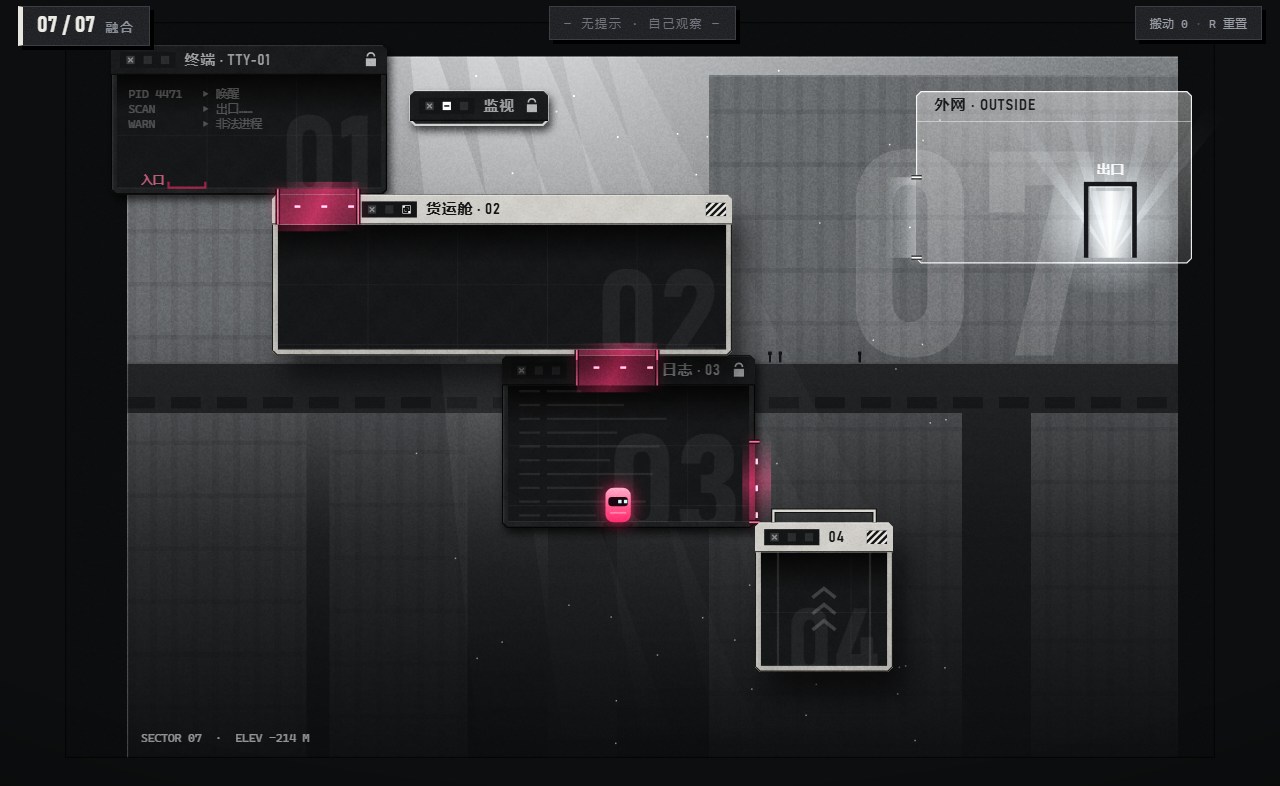
只有黑白灰,唯一的颜色是品红:你,和你接通的路。代价是能拖 / 拖不动只能靠明暗区分。
Only grayscale; the one color is magenta: you, and the path you connect. Movable vs. fixed must read through value alone.
← 左右滑动Scroll sideways →
一种风格当主角(大约七成),另一种只借它最有辨识度的一点,第三种要么只当点缀,要么不要。
Let one style lead (about 70%), borrow only the most recognizable trait of a second, and keep a third as an accent or drop it.
— 三轮美术试验学到的— lesson from three rounds of art direction
第一版纵深原型把推远拉近、后墙的门、坍塌三个新概念塞进同一关,朋友试玩时根本看不懂怎么玩。加了 6 步文字引导以后能通关,但这等于把答案念给玩家,并没有教会他。
The first depth prototype put three new ideas (pull and push, back-wall doors, collapse) into one level. Friends who tried it could not tell how to play at all. Six steps of text made it beatable, but that only read out the answer.
同一块楼板,在远层很小,拉近就变大。它「小」是因为远,还是本来就小?
The same slab is small far away and big when close. Is it small because it's far, or because it's small?
两扇门看起来对齐了,但只要不在同一层就接不上,人走过去会掉下去。
Two doors can look aligned, but on different layers they don't connect, and you fall.
最早换层要「拖着窗口时滚滚轮」:既难被发现,也不是窗口本来就有的操作。
Changing layers meant scrolling while dragging: hard to discover, and not something real windows do.
规则只有一条:只有同一层的门才能对接。层数最多三层。
One rule: only doors on the same layer connect. At most three layers.
撤回:要多学一种看图方式,还会打断沉浸;前后关系已经能靠虚线轮廓、拉近预览和品红门框看出来。Withdrawn: another way to read the screen that breaks immersion; outlines, previews and magenta frames already show depth.
能通关,但等于念答案。改成卡住才出现的兜底提示。Beatable, but it reads out the answer. Replaced by hints that appear only when you're stuck.
一座看不到顶、也看不到底的巨构,正在一点点塌下去。你是困在里面的一个品红色的小东西,只能在一扇扇「窗口」——挂在巨构上的混凝土预制舱——里行走。出口在最深处的天光里。
A megastructure with no visible top or bottom is slowly falling apart. You are a small magenta figure trapped inside, able to walk only within "windows": precast concrete pods hanging on the structure. The exit is the light at the deepest point.
让环境来讲:不写剧情文字。深度读数随着往里走不断下降;远处的楼时不时自己倒下;横梁上很小的人衬出巨构的尺度;转场的雾里,若隐若现一座城市。
Told through the environment: no story text. The depth readout drops as you go further in; distant towers collapse on their own; tiny figures on a beam show the scale; a city flickers in the transition fog.
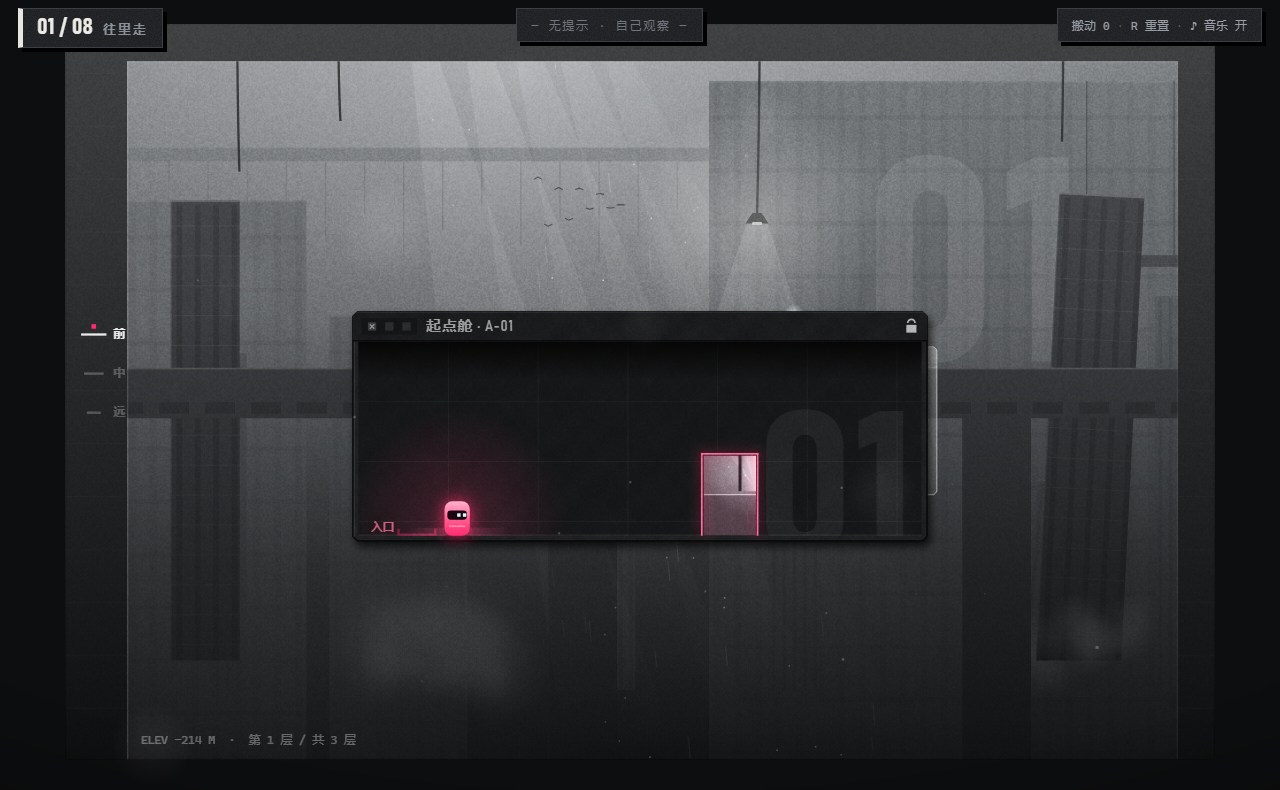
浅色能拖,深色拖不动——不靠颜色也分得清。
Light = movable, dark = fixed — readable without color.
全场唯一的颜色,一眼就能找到自己。
The only color on screen; you always find yourself.
每关都有方向:往最亮的地方走。
Every level has a direction: walk toward the brightest point.
越远越淡、越被吞掉,不用数字也看得出层次。
Farther is paler and more hidden; layers read without numbers.
远处先倒一座做预告:先看见,再遇到。
A distant tower falls first as a preview: see it, then meet it.
站上去按 □,它把你托上去:窗口变大本身就是升降。
Stand on it and click □: growing is the lift.
本章回答:十关怎么不靠文字教会玩家,镜头怎么讲空间,场景怎么一步步改出来。This part answers: how ten levels teach, how the camera tells space, and how the scenes evolved.
01–05 / LEARN
穿门 → 对准 → 缩放 → 坍塌 → 综合Doors → alignment → scaling → collapse → combine
06–08 / COMBINE
长高 → 缩矮 → 推远再长高Grow → shrink → send back, then grow
09–10 / REVERSE
托上去 → 放下来Carry up → lower down
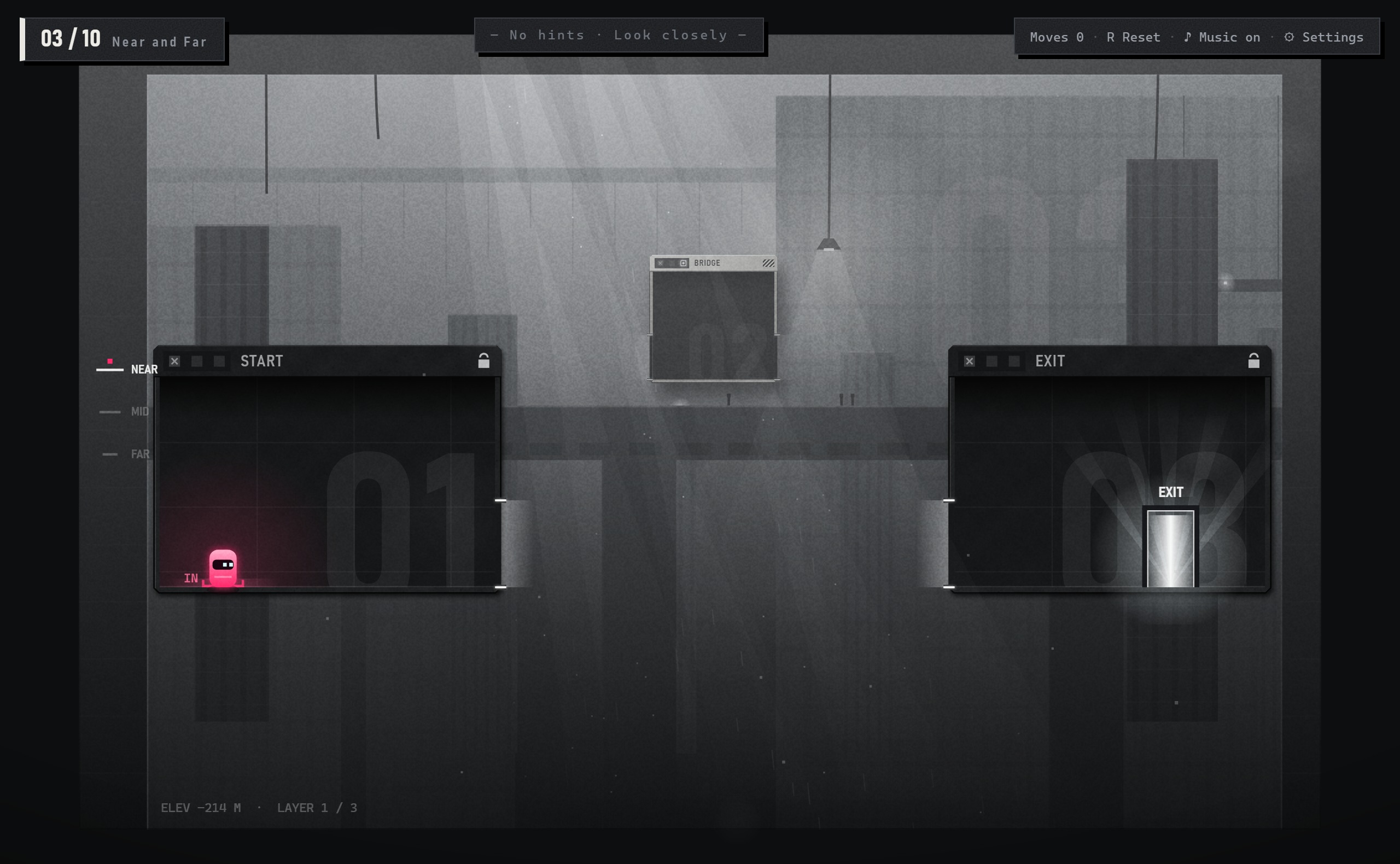
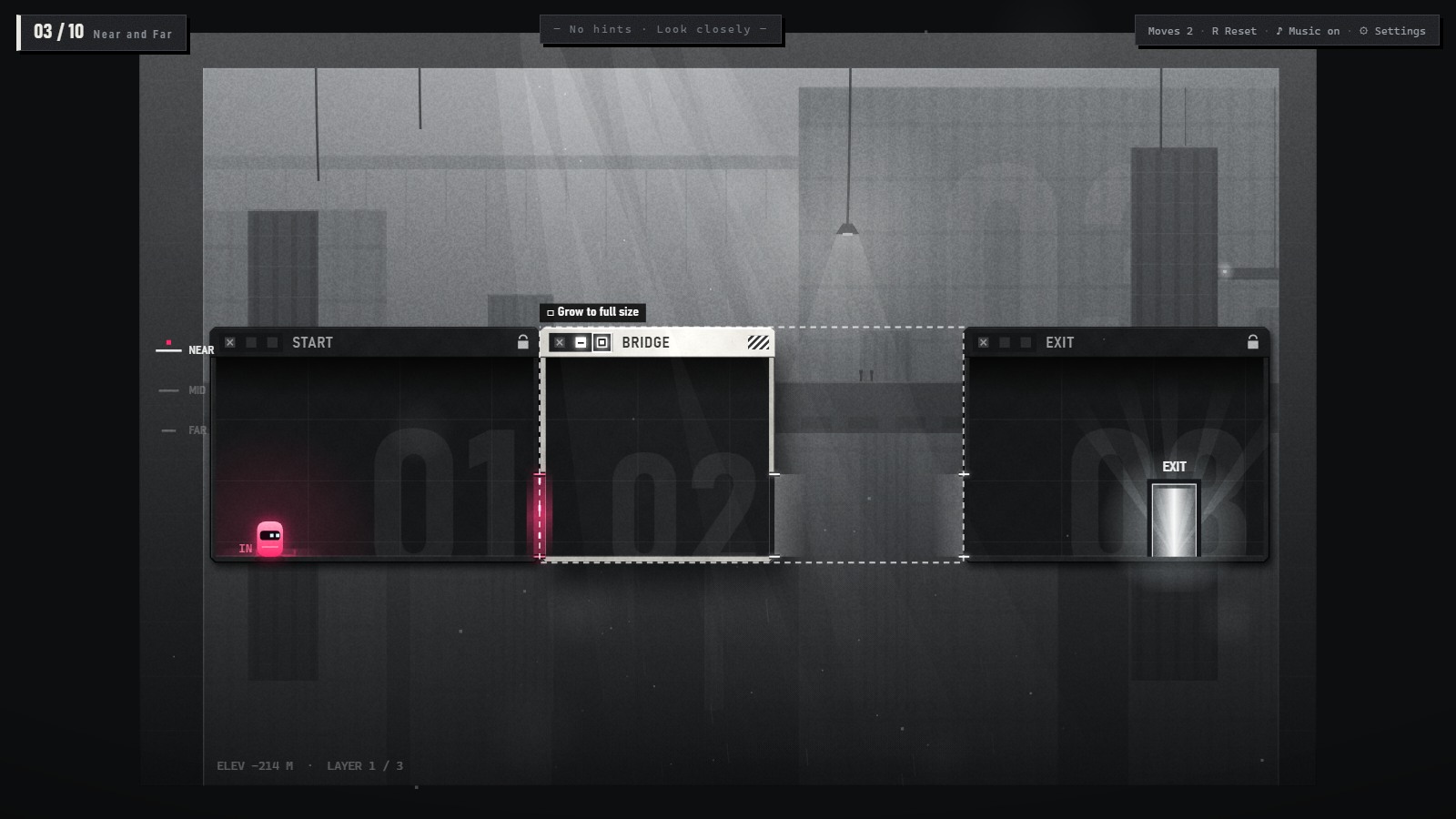
教:□ 远的拉近,近的长大。小楼板先拉近、再长大,拖进缺口。Teaches: □ = bigger. Bring the far BRIDGE closer, grow it, drag it in.
Level 03 / DESIGN FOCUS
远处楼板和缺口一样高、但更窄,□ 按钮闪烁。先用形状和按钮引导“拉近、长大”,再让玩家自己拖入缺口。
The distant slab matches the gap in height but is narrower; □ pulses. Shape and the button suggest bringing it closer and growing it, while placement stays with the player.
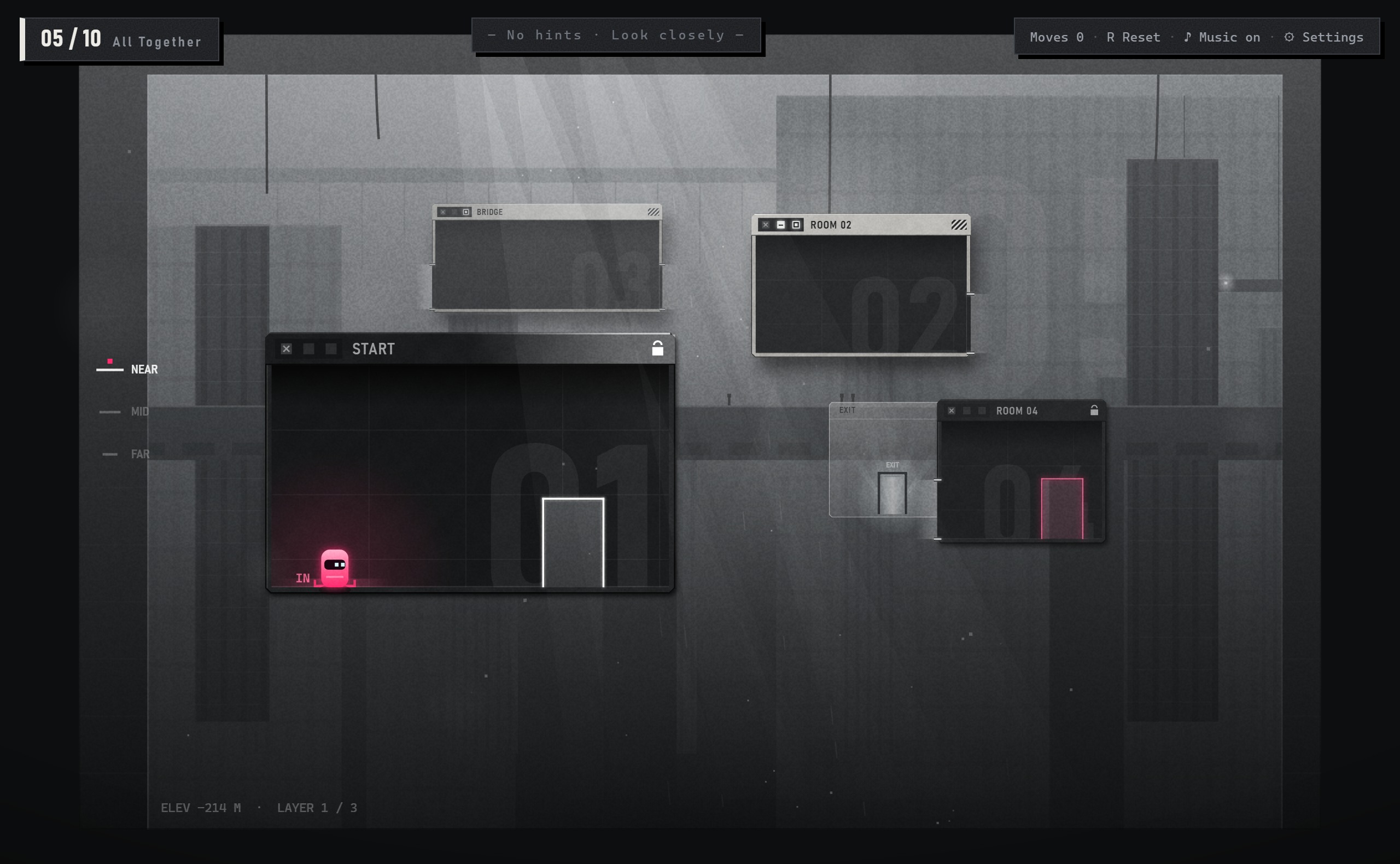
教:把前三件事串起来。拉近楼板搭桥、接中继舱、穿两道门、冲过会塌的桥;卡住约 20 秒才出提示。Teaches: the first three, combined. Bring the BRIDGE in, attach ROOM 02, take two doors, sprint across; hints after ~20 s.
Level 05 / DESIGN FOCUS
第 5 关把搭桥、接中继舱、穿门和跑过塌桥串起来。提示约 20 秒后才出现,按当前局面找出缺失的一步。
Level 5 links bridge building, ROOM 02, doors and a collapsing crossing. Hints wait about 20 seconds, then identify the missing step from the current state.
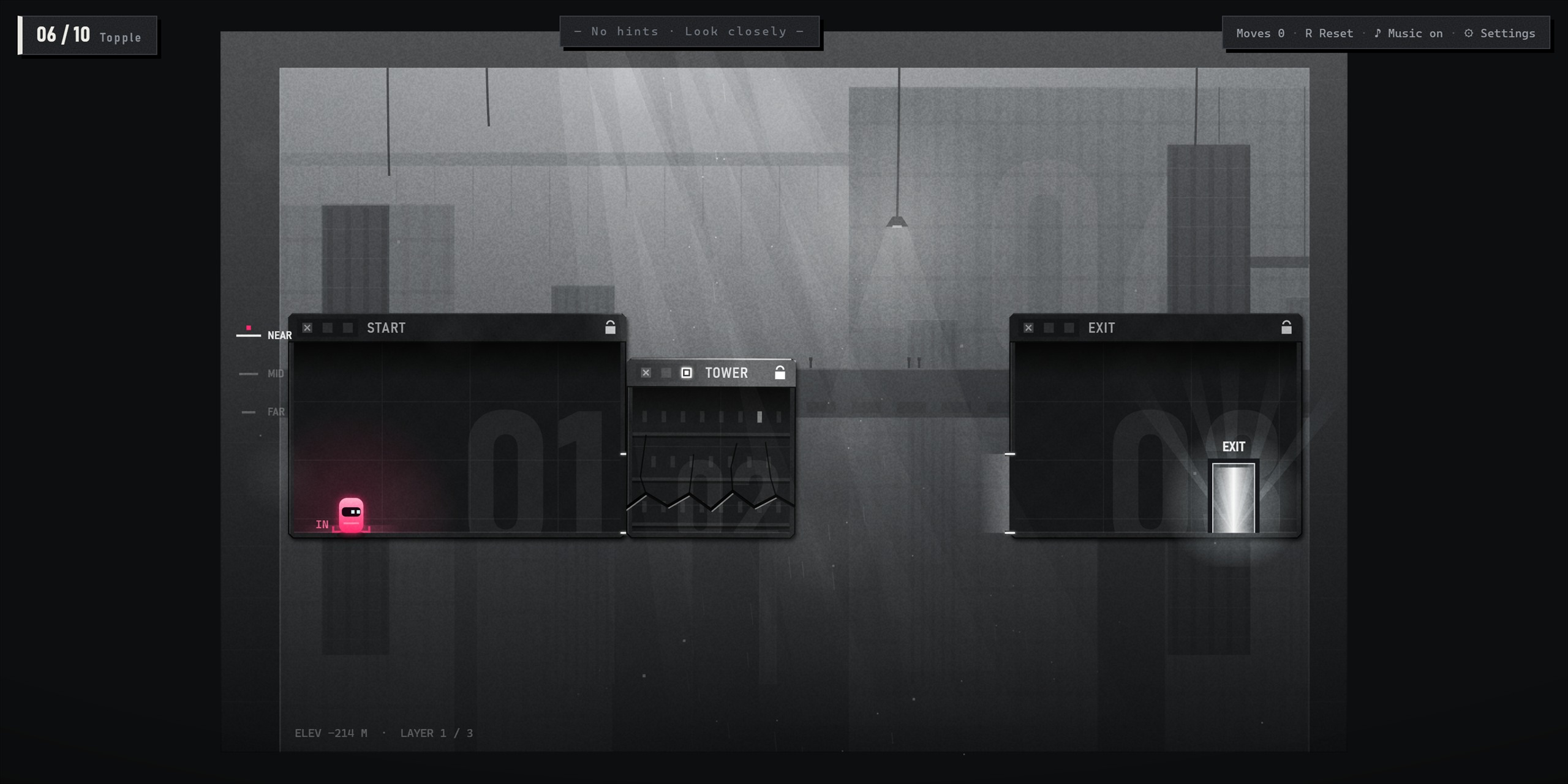
危楼在中层,缺口在最远层。做法:– 推远 → 走下去 → □ 长高 → 推。TOWER on the mid layer, gap on the far one. Do: – send back → go down → □ grow → push.
Level 08 / DESIGN FOCUS
危楼在中层,缺口在最远层。先推远,再走下去、长高、推倒;从“变大就能过”转为先判断层级和顺序。
The tower is on the mid layer and the gap on the far layer. Send it back before going down, growing and toppling it: layer and order now matter.
教:后墙的门能走进去。门已对准,白光从门洞透出来,按 ↓。Teaches: back-wall doors lead deeper. The door is lined up and light shines through; press ↓.
教:门框品红 = 后面有路。穿梭舱滑过门后,门框跟着变色。Teaches: magenta = a path behind. A SHUTTLE slides past and the frame changes color.
教:□ 远的拉近,近的长大。小楼板先拉近、再长大,拖进缺口。Teaches: □ = bigger. Bring the far BRIDGE closer, grow it, drag it in.
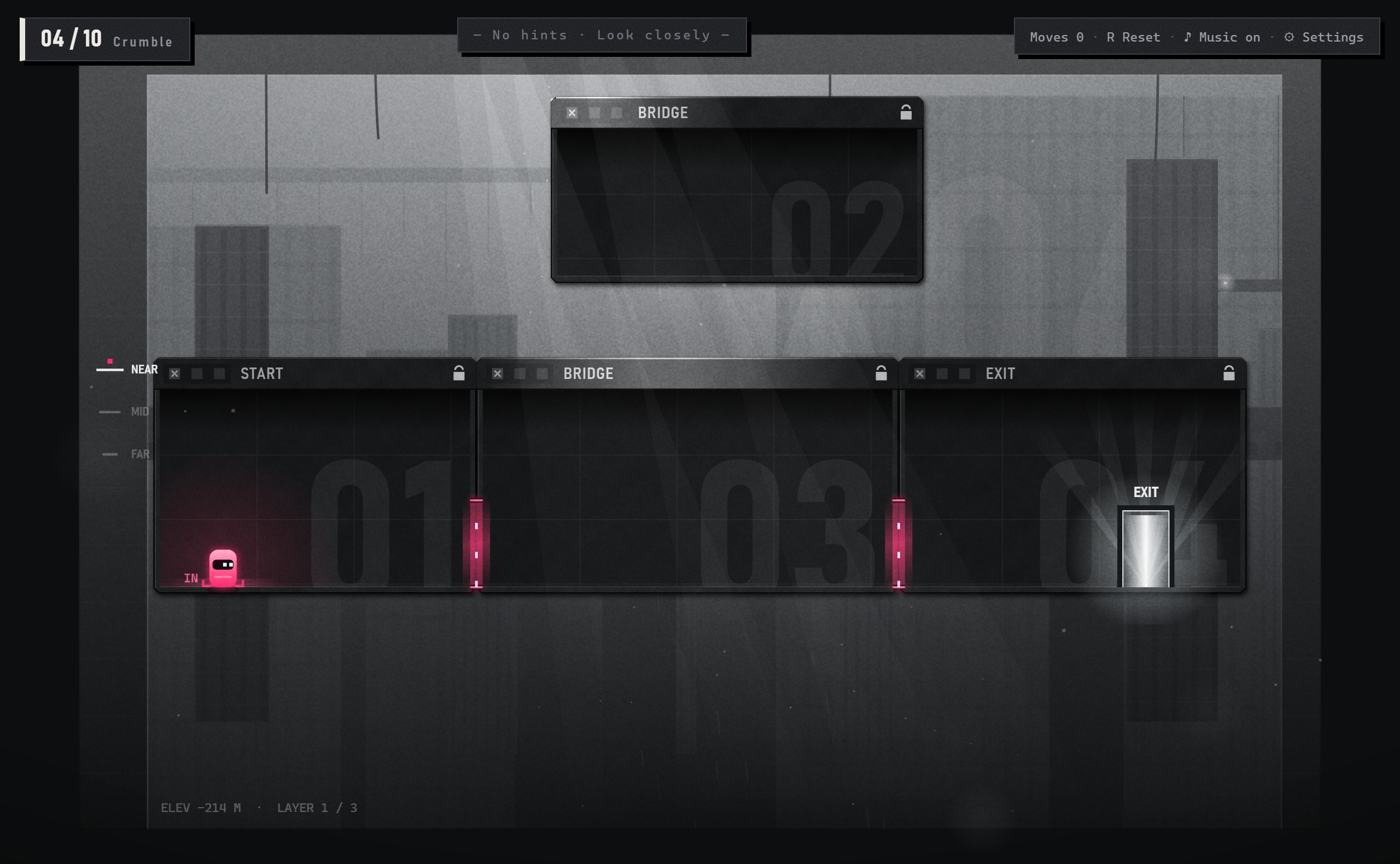
教:有裂缝的楼板会塌。先在安全的地方塌一块给你看,再自己跑过同样的楼板。Teaches: cracked slabs collapse. One falls somewhere safe first; then you cross an identical one.
教:把前三件事串起来。拉近楼板搭桥、接中继舱、穿两道门、冲过会塌的桥;卡住约 20 秒才出提示。Teaches: the first three, combined. Bring the BRIDGE in, attach ROOM 02, take two doors, sprint across; hints after ~20 s.
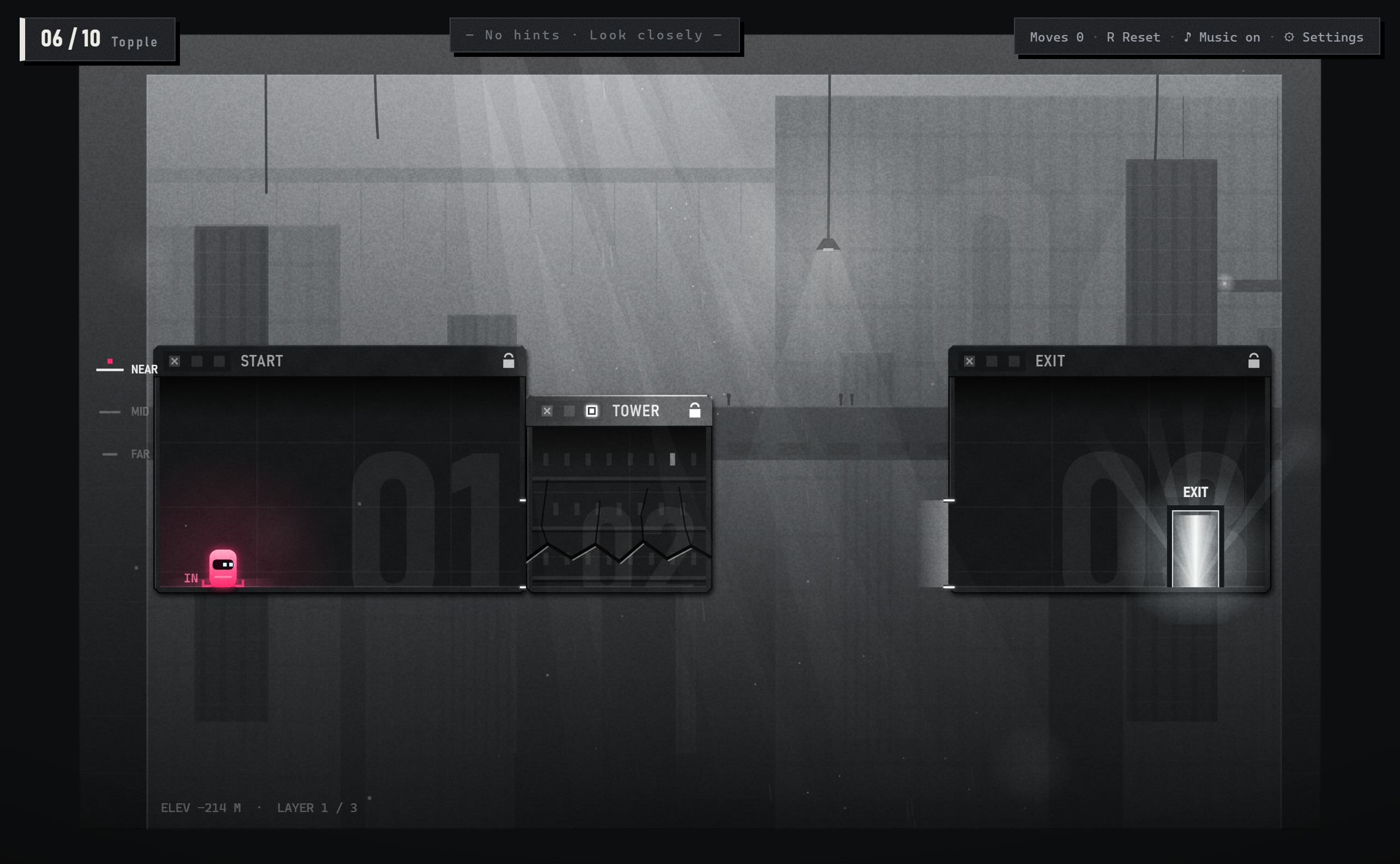
危楼太矮,倒下去够不着出口。做法:□ 长高 → 往右顶倒。Too short to reach the EXIT. Do: □ grow → push it over.
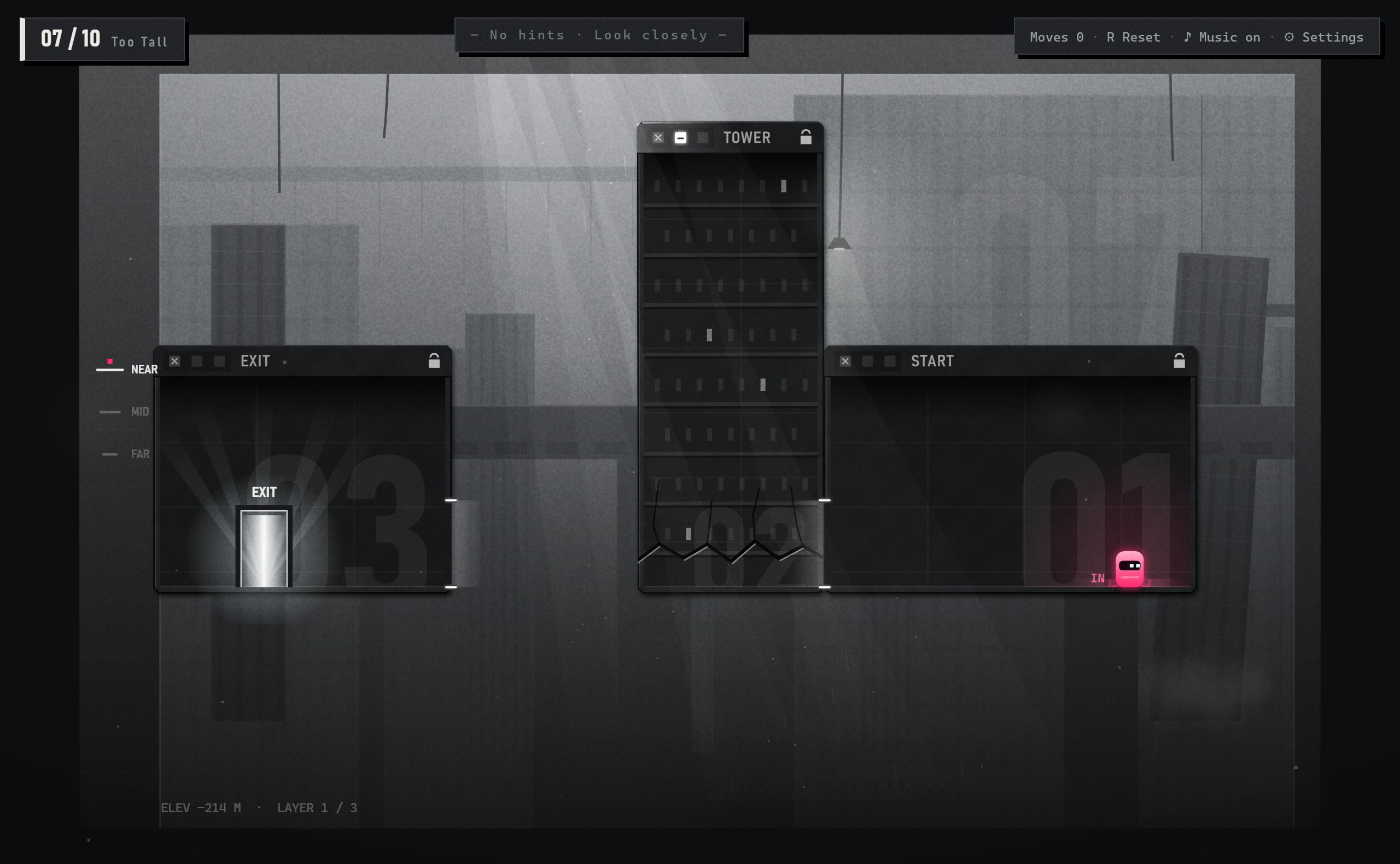
满高度,倒下会砸到出口,推不倒。做法:– 缩矮 → 再推。Full height; falling, it would crush the EXIT. Do: – shrink → push.
危楼在中层,缺口在最远层。做法:– 推远 → 走下去 → □ 长高 → 推。TOWER on the mid layer, gap on the far one. Do: – send back → go down → □ grow → push.
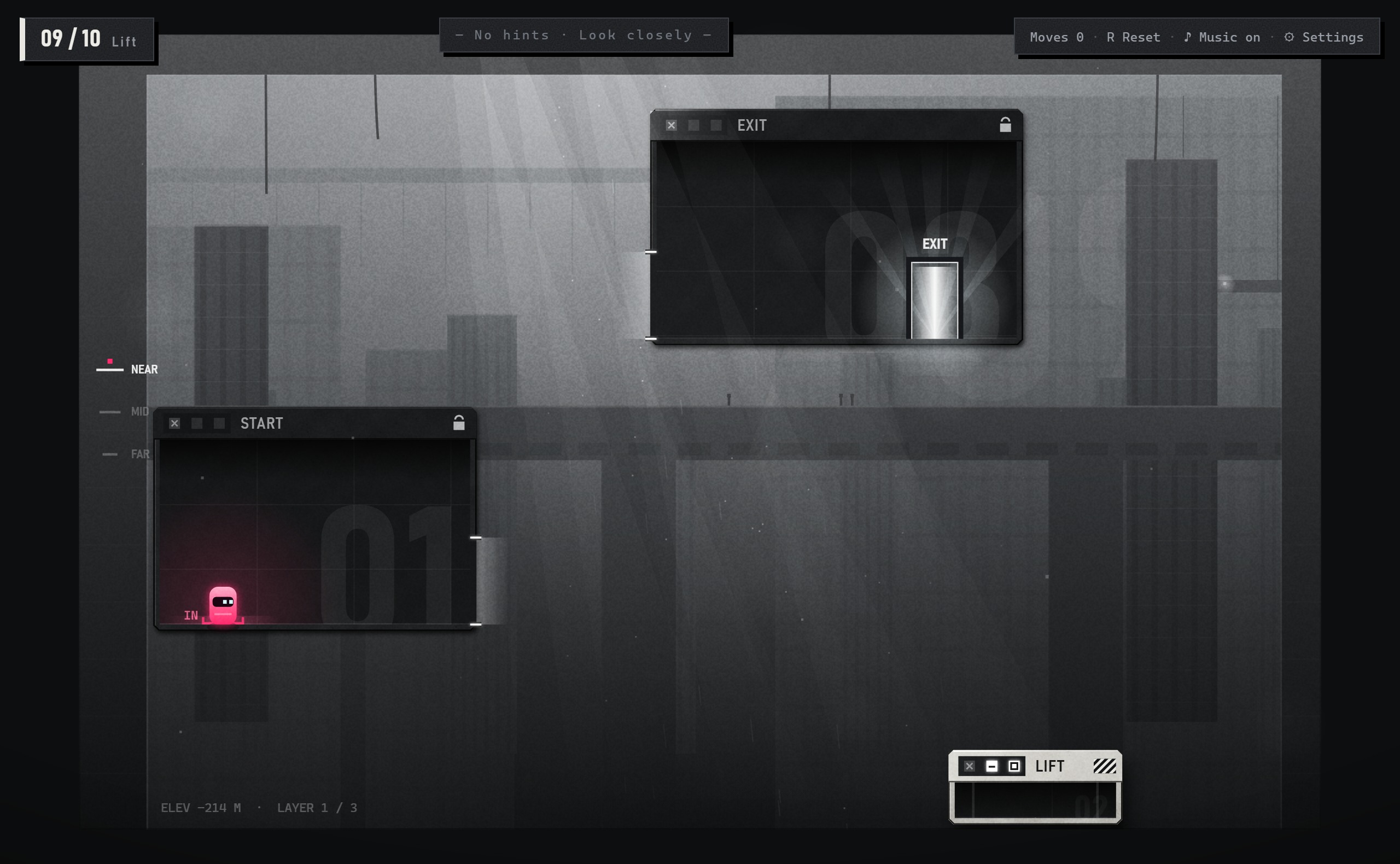
矮台够不着高处的出口门。做法:拖到门下 → 站上去 → □ 长高,把你托上去。The low LIFT can't reach the high EXIT door. Do: drag it under → step on → □ grow.
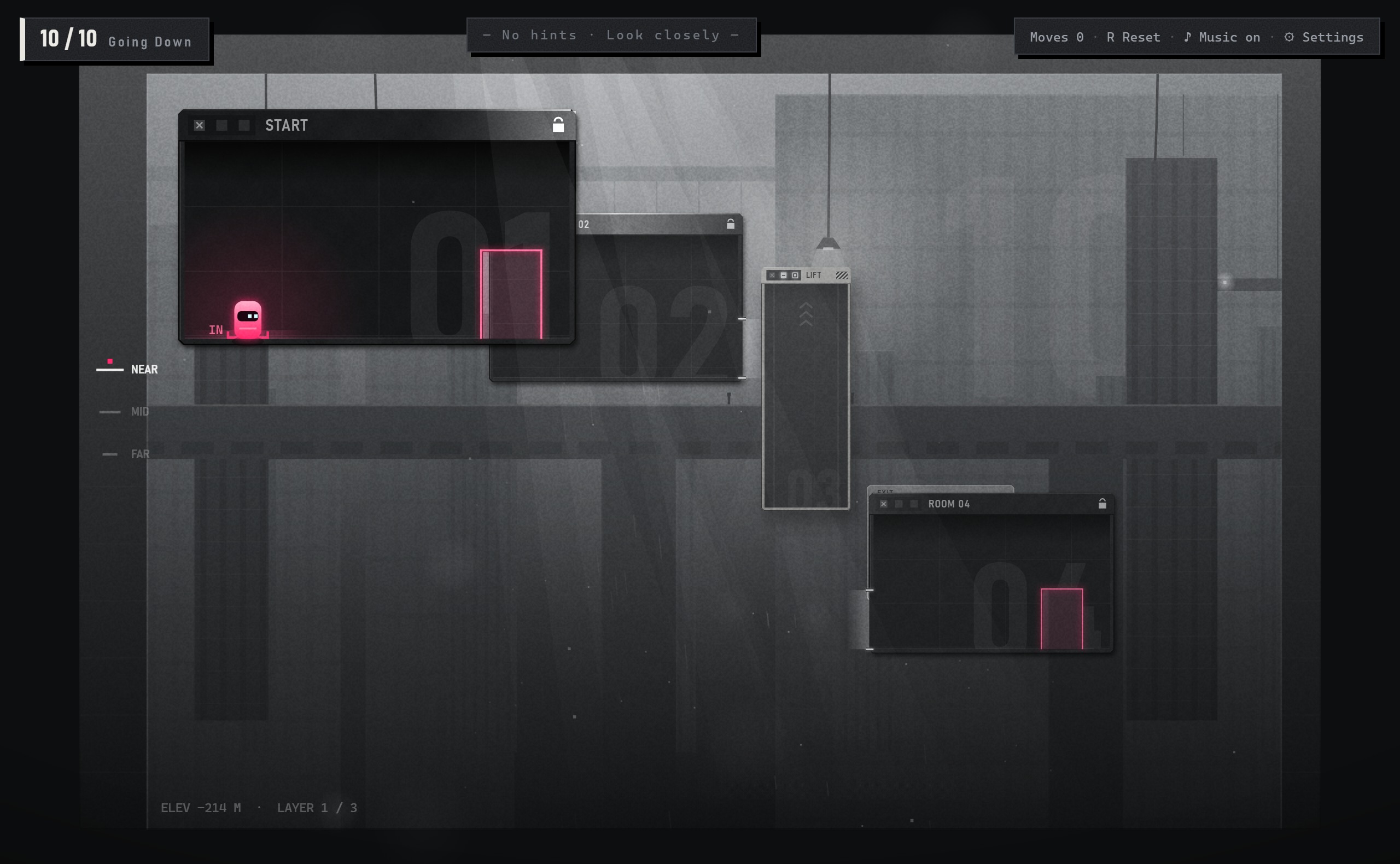
起点在高处,升降台已是满高度。做法:□ 拉近 → 拖到高门下 → 站上屋顶 → – 缩回,把你放下去。You start high; the far LIFT is already tall. Do: □ closer → drag under the high door → walk onto its roof → – shrink.
第一版把三个新概念塞进一关,只能靠 6 步文字指路。拆成 5 关以后,开始界面连规则都不写。
The first version squeezed three ideas into one level and needed six steps of text. Split into five, the start screen states no rules.
第 2 关的穿梭舱自己滑过门后,门框变色两次;第 4 关先在安全的地方塌一块楼板给你看。
In Level 2 the SHUTTLE slides behind the door by itself; in Level 4 a BRIDGE collapses somewhere safe first.
第 3 关远处那块楼板和缺口一样高、只是窄一截,□ 又一闪一闪。不用文字,玩家也会想到「让它变大」。
In Level 3 the far BRIDGE is as tall as the gap but narrower, and its □ pulses. Players think "make it bigger".
危楼:06 长高 → 07 缩矮 → 08 推远再长高。升降台:09 托上去 → 10 放下来。
Towers: 06 grow → 07 shrink → 08 send back, then grow. Lifts: 09 up → 10 down.
本章回答:解谜里玩家有哪些选择,信息给多少,节奏怎么起伏。This part answers: what choices players make, how much the game tells them, and how tension rises and falls.
□ / – 同时管远近和大小:03 楼板先拉近再长大;08 危楼要反过来先推远,再长高。
□ and – cover distance and size: Level 3 comes closer then grows; Level 8 goes back first, then grows.
代价Cost长大后可能压到别的窗口,要先挪开。
A grown window may hit others; move them first.
10 要先把升降台摆好、走上屋顶再缩,顺序反了就下不去;05 中继舱停错位置,会占住楼板的位置。
In Level 10 you must place the LIFT and stand on it before shrinking; in Level 5 a misparked ROOM 02 blocks the BRIDGE.
代价Cost顺序错了,要先把窗口挪回去。
Wrong order means moving windows back.
有裂缝的楼板 3.2 秒后塌;02 可以等穿梭舱自己滑到门后,也可以把它拖过来停住。
A cracked BRIDGE falls after 3.2 s; in Level 2 you can wait for the SHUTTLE or drag it yourself.
代价Cost犹豫就会掉下去,整关自动重来。
Hesitate and you fall; the level restarts.
危楼往你顶的反方向倒;它立在哪、有多高,决定它会变成哪一段路。
A TOWER falls away from you; where it stands and how tall it is decide which path it becomes.
代价Cost楼倒错了这一关就过不去,只能按 R 重来。
Topple it wrong and the level is lost; press R.
本章回答:试玩中发现的问题,各自优化成了什么。This part answers: what each playtest problem became.
来源:朋友测试和自测记录。Source: friend playtests and my own testing.
拖着窗口滚滚轮换层,不是窗口的操作Scrolling while dragging isn't a window action
改回标题栏的 □ / –Back to the title-bar □ / –
按钮自动吸到能接上的位置,替玩家摆好Buttons snapped windows into place for you
按完停在原地,位置自己拖Windows stay put; you drag them
加入变大变小后,二、三章每关(尤其每章最后一关)都是向右过缺口,相似度太高After grow/shrink was added, every Ch. 2–3 level, especially each chapter's last, crossed a gap to the right
07 从右往左、要缩矮;08 推远到最远层;10 从高处往下走07 right to left; 08 three layers deep; 10 goes downward
一关塞进三个新概念,朋友试玩看不懂怎么玩Three new ideas in one level; friends couldn't tell how to play
先加 6 步文字引导救急,再拆成 5 个教学关Six text steps as a stopgap, then five tutorial levels
纵深版里「可乘坐的窗口」没了,少了一种窗口玩法The depth version lost the rideable window
做成第三章「升降」;原版「随便一扇窗都能顶人」的 bug 不恢复Became Chapter 3 "Lifts"; the old "any window lifts you" bug stays fixed
嵌进网页框时画布是 0×0,之后不再重算Embedded in a frame, the canvas stayed 0×0
每帧检查画布尺寸;渲染出错也不停住,错误写在提示条上Check canvas size every frame; errors show in the hint bar
提示按固定顺序往下走。第 5 关提前进了中层的话,卡住 25 秒后提示会说「跑过楼板」——可楼板根本还没搭。
Hints followed a fixed order. Going into the mid layer early, the hint said "run across the BRIDGE", which wasn't built yet.
每一步都有自己的完成条件,每次都从头检查「当前局面缺哪一步」;把放好的窗口又挪走,提示会退回到那一步。约 20 秒才出现,做完就收起。
Each step has a done-condition; the game finds the first unmet one. Undo a step and the hint steps back. Appears after ~20 s, hides once done.
本章回答:为什么做这个游戏,它是什么。This part answers: why make this game, and what is it?
拖动、最小化、最大化——每个人都会操作窗口。把窗口当成关卡里的房间,玩家不用学,就知道它能「搬」。
Drag, minimize, maximize: everyone already knows windows. Treat them as rooms in a level, and players know right away that they can be moved.
7 关加一个 DIY 关卡编辑器。机制有门对齐、最大化 / 最小化、可乘坐的窗口,最后一关把窗口接到「桌面」。
Seven levels and a DIY level editor. Mechanics: lining up doors, maximize and minimize, rideable windows, and a final level that connects to the "desktop".
当时的判断:「搬窗口接路」成立而且新,前两关教学清楚。问题在于画面是通用的暗色科幻界面,背景只是墙纸,和玩法没有关系。
My assessment then: "move windows to build a path" worked and felt fresh. But the visuals were generic dark sci-fi UI, and the background was wallpaper with no link to play.
第一轮工作:先修 7 个 bug(例如普通窗口能把角色顶上去、绕过关卡设计),再重画门和标题栏,让门看起来像门。
First pass: fixed 7 bugs (for example, any window could lift the character and bypass the level design), then redrew doors and title bars so doors read as doors.
拖动、最小化、最大化,每个人都会。拖动直接借用,不需要教;□ / – 保留了按钮的样子,但改成控制纵深(见下一条),所以第 3 关专门教。
Drag, minimize, maximize: everyone knows them. Dragging is borrowed directly; □ and – keep their look but now control depth (see next), so Level 3 teaches them.
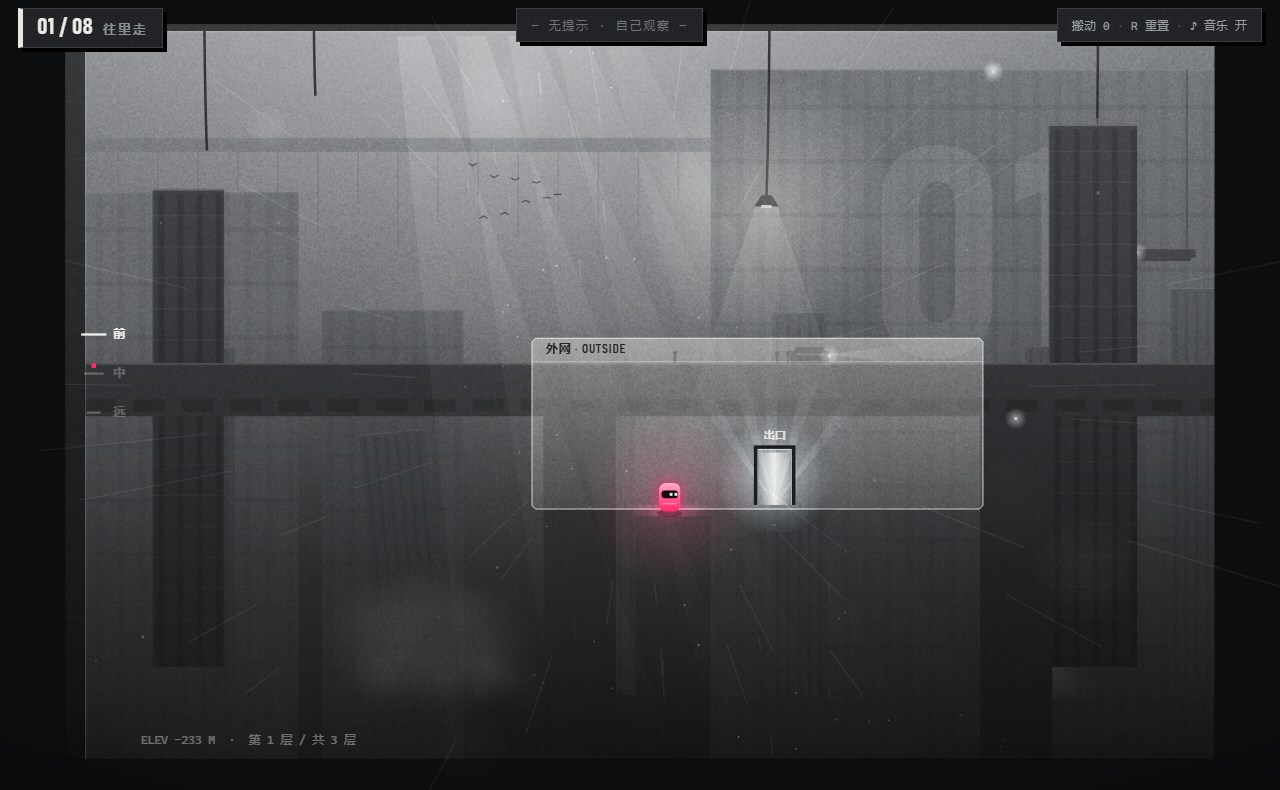
定下电影感粗野主义后,巨构有了尺度,却只是挂在后面的一张画。当时的问题是:关卡玩法能不能和背景联系起来,从 2D 融合 3D 纵深?我的做法是在横向、纵向之外再叠加第三个方向——纵深,把关卡做成三层的伪 3D 结构,让关卡结构更丰富。
After choosing cinematic brutalism, the megastructure had scale but was only a painting. Could the levels connect to the background, blending 2D into 3D depth? My answer was to add a third direction on top of horizontal and vertical — depth — turning each level into a three-layer pseudo-3D structure with a richer layout.
把一张张互不相干的平面谜题,连成一段走进巨构深处的旅程。每穿过一道后墙的门,左下角的深度读数就往下走。
Turn unrelated flat puzzles into one journey into the megastructure. Every back-wall door takes the depth readout further down.
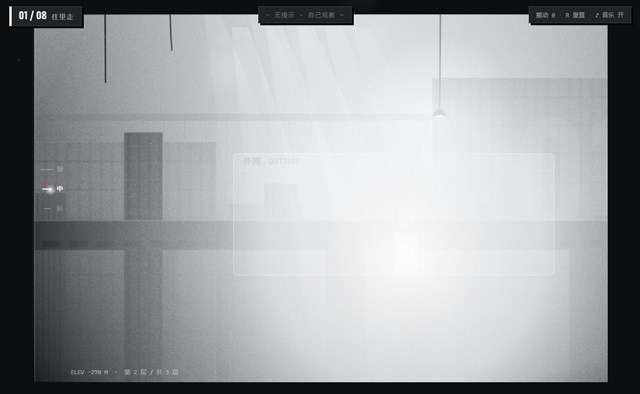
三层纵深、后墙的门;开场镜头从出口拉回起点;过关时沉进雾里。
Three layers and back-wall doors; the opening shot pulls back from the exit; finishing a level sinks into fog.
检验Check玩完问「这个游戏在玩什么」,看玩家会不会自己说出「往深处走」。
Ask "what is this game about?" Do players say "going deeper" on their own?
一关只教一件事;品红 = 接通的路;卡住约 20 秒才出现提示。
One idea per level; magenta = a connected path; hints only after ~20 s stuck.
检验Check有多少人等到了提示;卡在哪一关、卡了多久。
How many players reach a hint; where they get stuck, and for how long.
黑白灰加唯一的品红;混凝土、钢、碎石的物理音效;冲击时推镜和顿帧。
Grayscale plus one magenta; concrete, steel and rubble sounds; camera push and hit-stop.
检验Check截图转灰度,仍分得清能拖 / 拖不动、门、角色、出口;声音轻重按事件大小排。
Grayscale screenshots still read; loudness matches event size.
本章回答:验证了什么,还缺什么,下一步做什么。This part answers: what was tested, what is missing, and what comes next.
这个项目里最重要的设计工作,不是加机制,而是让一个新机制被看懂。
The most important design work here wasn't adding mechanics. It was making one new mechanic understood.
Play · BUILD 17
完整 10 关和 DIY 关卡编辑器,在浏览器里直接打开,约 2~5 分钟。
All 10 levels plus the DIY editor, right in your browser. About 2–5 minutes.
需要电脑键盘和鼠标。游戏界面为英文。Requires a keyboard and mouse.